An AI web design tool can save time, reduce guesswork, and help non-designers launch a site that looks polished from day one. Instead of staring at a blank canvas, you start with a guided draft that already has structure, hierarchy, and a better visual flow. That matters whether you are building a local service site, a consulting brand, a club page, or a startup landing page. With Avantiy, the goal is not just to generate pages. It is to help you make smarter design decisions faster, with templates, customization options, and support when you need it. If you want a practical starting point, explore Avantiy’s AI website builder or browse professional website templates to see how a strong foundation shortens the path to launch.
Design a Website Without Starting from Scratch
An AI web design tool gives you a working draft, so you do not have to invent every section, layout choice, or visual pattern yourself. That makes it especially useful for non-designers who want a professional website without hiring an agency.
The best workflow starts with a clear prompt, a template, or a business goal. From there, the AI web design tool can suggest page structure, homepage sections, and a cleaner visual hierarchy. You still stay in control, but you are no longer making every decision alone.
This is where Avantiy stands out as a practical assistant. It is designed to help you move from idea to site draft, then refine the result with a no-code editor and support options. If you want to create a site with less friction, how to create a website without coding is a helpful companion guide. For faster launches, you can also start with customizable website templates and let the AI web design tool adapt them to your brand.
A good AI web design tool should help you:
- Turn a business idea into a usable structure
- Suggest sections that fit the page goal
- Keep the design clean and readable
- Reduce the time spent rearranging elements
- Make the site easier to customize before publishing
For a realistic look at what AI builders can and cannot do, this hands-on comparison from Steve Builds Websites is worth watching:
If you are comparing the broader market, review Zapier’s roundup of the best AI website builders and Brizy’s guide to AI website design tools. Those resources show how much the category has grown, but the real question is whether the tool helps you launch a site that still looks thoughtful. That is the difference between a quick draft and a website people trust.
In short, an AI web design tool should remove blank-page anxiety. It should also help you make better design choices, faster, with less trial and error.
How does an AI web design tool help beginners?
An AI web design tool helps beginners by giving them structure first and fine-tuning second. That means you spend less time guessing where to place content and more time shaping the message.
For non-designers, that matters a lot. A good starting layout can prevent common mistakes like crowded sections, weak calls to action, or inconsistent spacing. It also makes the editing process less intimidating, because you are improving something that already works.
What an AI web design tool Should Help With
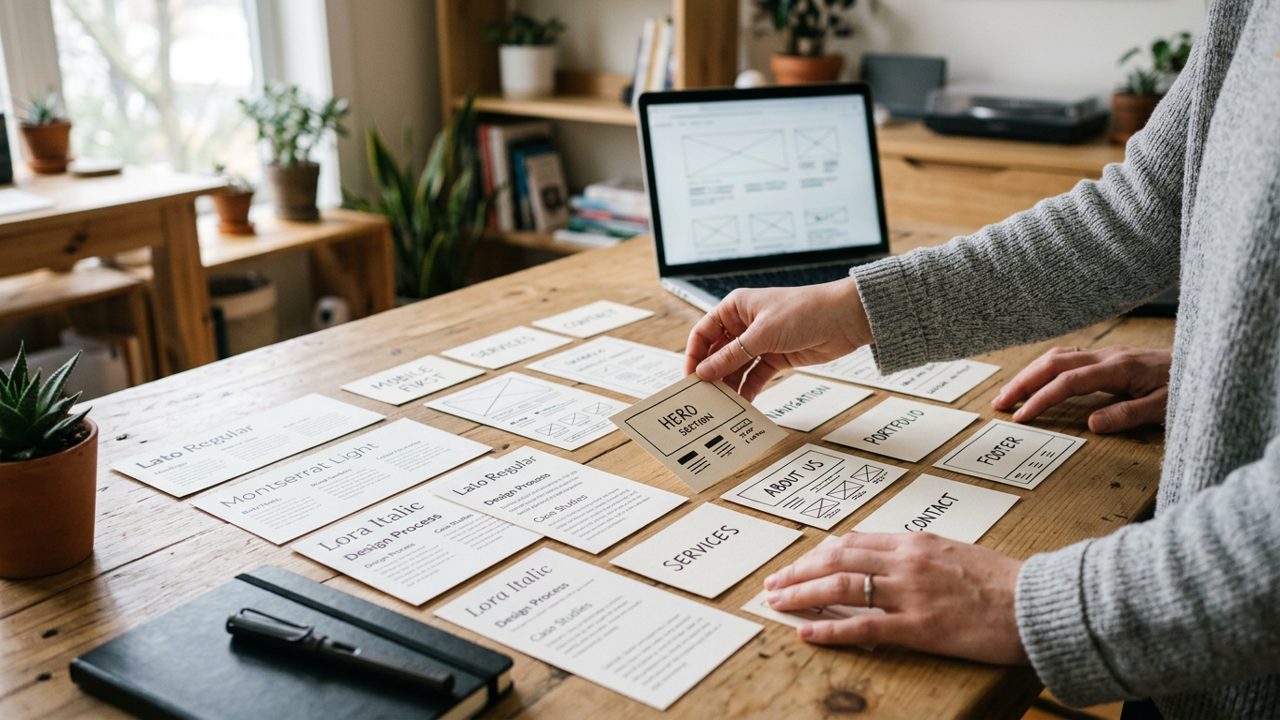
An AI web design tool should support the parts of design that most non-designers find difficult. It should guide layout, typography, section order, mobile readiness, and conversion-focused choices.
That support is important because a website is more than a pretty homepage. It needs to communicate clearly, guide visitors, and make the next step obvious. When an AI web design tool handles the structure well, you can focus on your message and brand details instead of wrestling with every design decision.
Avantiy is built around that idea. It combines generation with editable templates and hands-on support, so you can improve the draft without feeling stuck. If you are planning a quick campaign page, Avantiy’s AI landing page generator can help you move even faster. If your focus is a full business site, the AI website builder for small business owners is a strong starting point.
The design quality still depends on the choices the tool helps you make. For example, a layout that looks good on desktop must also work on mobile. A strong AI web design tool should reduce friction across both views. It should also make it easy to update copy, swap images, and sharpen the call to action before launch.
Layout
Good layout support means the AI web design tool places content in a logical order. Visitors should understand who you are, what you offer, and what to do next within seconds.
A clean layout usually beats a flashy one. Therefore, the tool should prioritize clarity, spacing, and section flow rather than adding clutter.
Color and typography
Color and typography shape trust quickly. A strong AI web design tool should help you choose readable fonts and a color palette that fits your brand.
If the typography is hard to scan, visitors leave sooner. As a result, simple font pairings and consistent contrast matter more than decorative effects.
Page sections
Page sections should match the goal of the site. A good AI web design tool suggests the right blocks for a service page, portfolio, store, or landing page.
For example, a consultant may need testimonials and services. Meanwhile, a club may need events, sign-up details, and contact options.
Mobile responsiveness
Mobile responsiveness is non-negotiable. A site that looks polished on desktop can still feel awkward on a phone.
The AI web design tool should help you check spacing, stack content correctly, and keep buttons easy to tap. That reduces cleanup later.
Calls to action
Calls to action are where design meets business results. A good AI web design tool should help you place clear buttons and simple next steps.
For example, a service business may want calls, bookings, or quote requests. Therefore, the design should make that action obvious, not hidden.
AI web design tool vs Hiring a Designer
An AI web design tool is faster and more affordable to start with, while a designer offers fully custom strategic work. For many small businesses, the best first step is the AI web design tool, especially when speed and budget matter.
That does not mean design expertise is useless. It means you should use it where it creates the most value. If you already know your offer and need a credible website now, an AI web design tool can get you there sooner. If your brand needs deep creative direction or a highly specialized visual system, a designer may still be the better fit.
The practical advantage of an AI web design tool is control. You can test ideas, update content quickly, and launch without waiting on a long revision cycle. With Avantiy, you also get access to a website builder for small business and an AI website generator that helps turn an idea into a draft before you publish.
That said, the smartest approach is often hybrid. Use the AI web design tool for speed, then refine with human judgment. That is where support matters. Avantiy offers chat, email, phone, and video call support, which can help you make better decisions when the draft needs polish. In other words, AI gives you momentum, and support helps you finish with confidence.
Which AI tool for web design is best for non-designers?
The best AI tool for web design is the one that reduces complexity instead of adding it. Non-designers usually need a tool that handles structure, offers editable templates, and makes publishing straightforward.
If the interface feels like a design software tutorial, it is probably too much. A practical AI web design tool should feel guided from the first step.
How Avantiy Combines AI Design with Human Support
Avantiy uses an AI web design tool as a starting point, not an endpoint. That means you get a draft you can improve, plus support that helps you avoid common mistakes before launch.
This approach is useful for people who want to move quickly but still care about quality. A generated draft can save time, but a polished site needs judgment. Avantiy bridges that gap with professional templates, no-code editing, website publishing tools, and customization support.
If you are building a brand site or a campaign page, start with Avantiy’s AI website builder and then refine the layout inside the editor. If you want more control over the visual foundation, customizable website templates for fast, professional launches can speed up the process without making the result feel generic.
To improve visual quality, this Claude-focused tutorial by Mikey Website offers practical prompting and design techniques:
Avantiy is also helpful for users who want real guidance, not just software. That includes small business owners, freelancers, consultants, and early-stage founders who need a website that looks credible quickly. In practice, the value is simple: the AI web design tool gets you moving, and the support team helps you make the result stronger.
If you are still deciding what to build, the safest path is to start with one clear page goal. Then shape the content around it. The AI web design tool can handle the draft. Avantiy helps you turn that draft into a site you are ready to publish.
Can ChatGPT design a website?
ChatGPT can help plan a website, but it does not replace a true AI web design tool. It can suggest copy, structure, and ideas, yet it cannot publish, visually refine, or manage the site the way a builder can.
Use ChatGPT for brainstorming and content help. Use an AI web design tool for the actual website draft and build process.
AI Web Design FAQs
An AI web design tool can be a smart shortcut, but it works best when you understand what it can and cannot do. The answers below cover the most common questions people ask before choosing one.
For a deeper walkthrough, you can also review how to build a website with AI and how to use a prompt to create a site draft. Those guides work well alongside this article if you want a step-by-step path.
If you want to compare different approaches in the wider market, explore Google’s Stitch project for design with AI and Relume’s AI-assisted sitemap and wireframe workflow. They show how the category is evolving, but the right choice still depends on whether you need speed, control, or support.
Key Takeaways
- An AI web design tool helps non-designers start with a usable draft instead of a blank page.
- The best tools support layout, typography, page sections, mobile responsiveness, and calls to action.
- Avantiy frames AI as a design assistant, not just a page generator, so users can customize with confidence.
- A hybrid approach works well: use AI for speed, then refine with human judgment and support.
- For many small businesses, an AI web design tool is the fastest path to a professional-looking website.
Frequently Asked Questions
Which AI tool for web design should I choose?
Choose an AI web design tool that helps you create, edit, and publish without confusion. If you are a non-designer, look for editable templates, clear layout suggestions, and support when you need help. That combination is usually more useful than a tool that only generates a flashy draft.
Can you use AI for web design?
Yes, you can use AI for web design, and it is especially helpful for first drafts and structure. A good AI web design tool can suggest layouts, page sections, and copy direction, then let you refine the result before launch.
Can ChatGPT design a website?
ChatGPT can help plan a website, but it cannot replace a full AI web design tool. It is useful for ideas, outlines, and copy, while the builder handles the actual visual creation, editing, and publishing.
What are the top 3 AI websites?
The top 3 AI websites for your needs are usually the ones that combine generation, customization, and support. For many users, that means an AI web design tool that gives a clean draft, an easy editor, and enough help to finish confidently.