
If you want to build a website with AI, the process is simpler than most small business owners expect. You do not need to start with code or a blank page. Instead, you give the AI the basics about your business, choose a structure, and then refine what it creates so the site feels accurate, local, and trustworthy. That makes this approach ideal for busy owners who need a professional result without a long design project. It also works well when you want a fast launch for a service business, a consultancy, or an online store. If you are still comparing options, our AI website builder is built for that exact workflow: generate the first draft, edit it without code, and publish with SEO-ready pages, domains, and support in one place. In the sections below, you will see what to prepare, what AI can generate well, and what still needs a human eye before you go live.
Can You Really build a website with AI?
Yes, you can build a website with AI, and for many small businesses it is the fastest way to get online. AI can create a first draft of your homepage, service pages, contact page, and even basic product pages. It can also suggest layouts, headings, calls to action, and starter copy.
However, AI is best used as a starting point, not a final replacement for judgment. You still need to check that the content matches your business, that the design feels on-brand, and that the site answers real customer questions. If you want a simple launch path, the no-code website builder route is usually the easiest because you can edit everything visually after the AI draft appears.
Can an AI build a website? Yes, it can generate a usable site structure very quickly. Can ChatGPT build a website? It can help you write copy, outline pages, and even generate code ideas, but it does not publish a complete website on its own. That is why many owners use AI to accelerate the work, then finish the site in a platform that handles design, hosting, and publishing.
For a clear external walkthrough of the process, the guide from Digital Boost’s how-to-build-a-website-with-AI resource is a useful reference. You can also compare workflow ideas with Figma’s AI website generator overview if you want to understand how AI-assisted drafting works in practice.
The main benefit is speed. The main risk is assuming the AI knows your business better than you do. So, when you build a website with AI, treat the draft like a smart assistant’s first pass. Then refine it until it sounds like your brand and helps customers take action.
What AI can do well
AI is strong at generating structure fast. It can suggest page sections, starter headlines, service summaries, and simple layout ideas. It is also helpful when you need multiple pages in a short time.
For example, a local electrician might ask AI for a homepage, service pages, and a quote request form. A consultant might use it to draft an about page, a services page, and a lead-capture landing page. In both cases, AI reduces blank-page pressure and helps you move faster.
What still needs human review
AI does not know your true positioning, legal wording, or local market nuance unless you provide it. You should always review facts, service names, pricing language, testimonials, and contact details.
You should also check tone. AI copy can sound generic if you do not guide it. A human review keeps the site clear, credible, and specific.
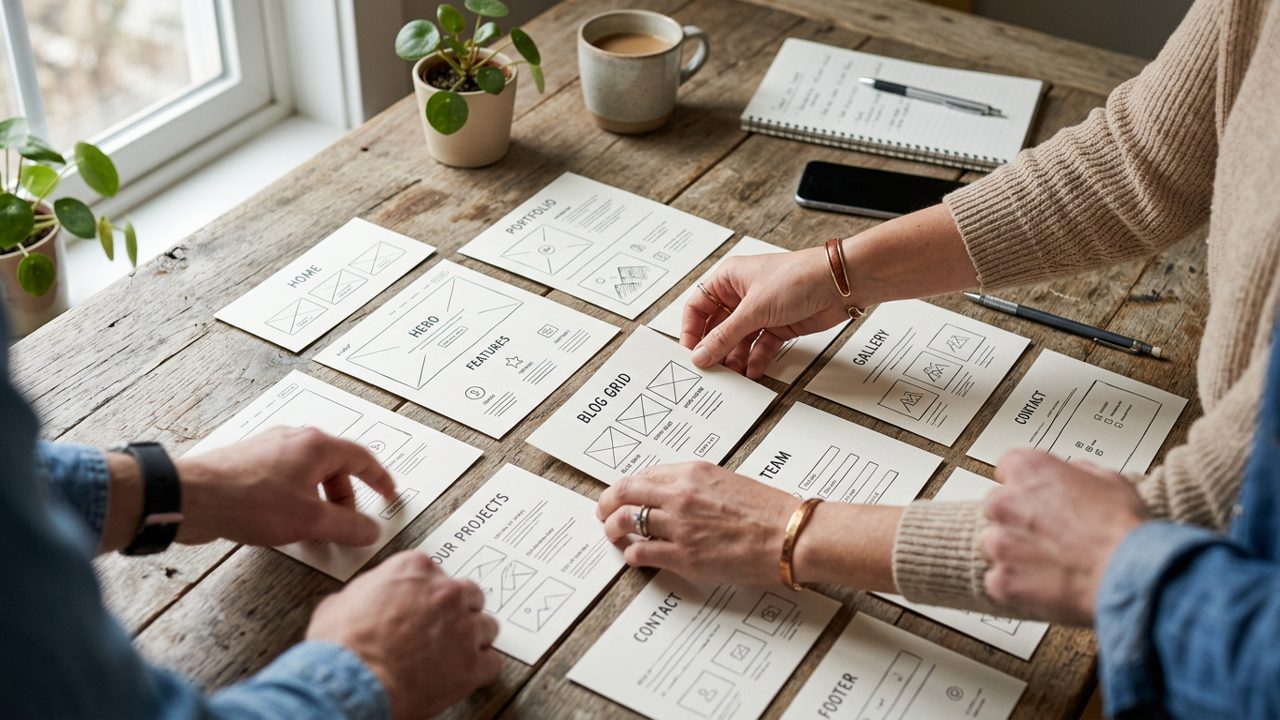
Step 1: Define Your Website Goal Before You build a website with AI
Before you build a website with AI, decide what the site must achieve. A website that tries to do everything usually converts poorly. A site with one clear goal is easier for AI to draft and easier for customers to understand.
Start by choosing the primary outcome. Do you want more calls, quote requests, bookings, email signups, or online sales? That answer shapes the pages, the copy, and the calls to action. If you are building a local service site, the goal may be inquiries. If you are launching products, the goal may be transactions. If you need a focused lead page, the AI landing page generator can help you create a tighter conversion path.
A simple goal statement is enough. For example: “I need a website that helps local customers book an appointment.” Or: “I need a site that explains my service and gets quote requests.” Once that is clear, AI can build a website with AI that is aligned with your purpose instead of giving you a generic brochure site.
Also decide who the site is for. A plumber, a boutique, and a marketing consultant need different messaging. Therefore, write down your audience, your top service, and the action you want visitors to take. That small exercise makes the AI draft much better and saves time during editing.
A simple planning prompt you can reuse
Use one sentence to brief the AI. For example: “Build a website with AI for a family law practice in Manchester that encourages consultation bookings.”
That kind of prompt gives the builder a clear target. It also helps keep the homepage, navigation, and page sections focused on one business outcome.
Step 2: Prepare Your Business Information
You will get a much better result if you gather your content before you build a website with AI. AI works best when it has accurate inputs, especially for names, services, and contact details.
Prepare the basics first. You need your business name, logo, short description, services or products, phone number, email address, address if relevant, service areas, opening hours, and social profiles if you want them included. If you sell online, add product categories, delivery details, and refund information.
It also helps to collect proof points. Think about testimonials, certifications, memberships, and frequently asked questions. Those details make the site feel real. They also reduce the amount of generic filler AI might otherwise generate.
If you need a domain while you prepare the site, search and register a domain name early so the brand name, web address, and email can stay consistent. That is especially useful for small businesses that want a polished launch.
You should also decide what tone you want. Friendly, expert, modern, or local and approachable all work differently. If you can share a few example phrases, the AI will sound less robotic. Finally, keep your content in one document. That makes it easier to paste into the builder and much easier to edit later.
Helpful assets to gather
Collect your logo, brand colors, service list, short bio, contact details, testimonials, and any legal or policy pages you already have.
If you are unsure about page structure, browsing professional website templates can help you see what a finished site needs before the AI generates your draft.
Step 3: Choose a Template or Let AI Create the First Draft
Once your basics are ready, you can build a website with AI in two common ways. You can start from a template and let AI fill it, or you can let AI create the first draft from scratch. Both can work well.
Templates are useful when you already know the type of site you need. They give the AI a sensible structure, which often saves time. A from-scratch draft can be better when your business is unusual or when you want more flexibility. In practice, many small businesses do best with a strong template plus AI-generated content.
If you want inspiration before choosing, check website templates for small business to see which layouts suit service companies, consultants, and local brands. You can then let AI personalize the sections instead of starting from nothing.
For people who want a hands-on comparison, this external article from Base44’s AI website builder overview shows the kind of quick-start experience many tools now offer. Another helpful reference is Relume’s marketing site workflow, which illustrates how AI can speed up planning and page creation.
The key is not to chase novelty. Choose the path that helps you publish a usable site faster. If the template already matches your industry, use it. If not, let AI build the skeleton and then shape it to your brand.
Template-first or AI-first?
Template-first is better when you want predictability and speed. AI-first is better when you need a fresh structure or do not have a clear visual direction.
Either way, the goal is the same: build a website with AI that looks intentional, not random.
Step 4: Generate Pages, Copy, Images, and Sections
This is where AI does the heavy lifting. You can build a website with AI and ask it to draft the homepage, about page, service pages, testimonials, FAQs, and contact sections. You can also use it to create short blurbs, section headings, and image ideas.
Start with the homepage. Ask for a clear headline, a short subheading, and a strong call to action. Then move to service pages. Keep each page focused on one topic. That helps visitors understand your offer and helps search engines understand your site.
For copy, use AI as a draft writer. It can save time, but you should still rewrite anything that sounds vague. Replace generic words with specific customer language. For example, “high-quality service” is weaker than “same-day boiler repair in Leeds.” Specific wording usually converts better.
For images, AI can suggest visual concepts and captions. However, real brand photos are often better for trust. Use AI for placeholders, mood ideas, or background visuals, then swap in authentic photos when you can. That is especially important for local businesses, where people want to see the team, the location, or the work itself.
If you need a fast site for a product or campaign, an AI website builder prompt can help you generate a stronger first draft. If your site is sales-focused, pair this step with the online store builder so product pages, checkout, and storefront pages stay connected.
In short, use AI to reduce writing time and build structure quickly. Then use your expertise to make the content believable, useful, and specific.
Prompt examples that work well
Try prompts like: “Write a friendly homepage for a UK-based accountant that focuses on small business tax support.”
Or: “Create a service page for emergency plumbing with a clear quote request call to action.” The more specific the request, the better the draft.
Step 5: Edit the Design Without Code
After the first draft appears, you should shape the design so it feels like your business. This is one of the biggest reasons people choose to build a website with AI. You get speed, but you still control the final look.
Start with the essentials. Adjust the logo placement, colors, fonts, spacing, and button styles. Then review the page order. Move the most important section higher if it matters more to customers. For example, service businesses often need a clear value proposition near the top, followed by trust signals and a simple contact path.
A good no-code editor makes this easy. You should be able to change blocks, reorder sections, and update text without touching code. That is why many small businesses prefer an AI website builder with a visual editor rather than a code-heavy workflow. If you want a broader platform overview, see small business website builder options that combine AI, templates, hosting, and support.
You should also test the mobile view. Many visitors will land on your site from a phone, so buttons must be easy to tap and text must be readable. Review spacing carefully. Tight design choices can make an AI-generated site look rushed, while small refinements make it feel polished and professional.
Keep the design simple. Clarity usually beats decoration. When in doubt, remove extra sections, shorten text, and make the next step obvious.
What to fix first in the editor
Fix hierarchy first, then spacing, then styling. That order helps you improve the user journey before polishing visual details.
In other words, build a website with AI for speed, then use the editor to make the experience easier to navigate.
Step 6: Add SEO Titles, Meta Descriptions, and Alt Text When You build a website with AI
If you want people to find the site, do not skip SEO. A strong AI draft still needs page titles, meta descriptions, alt text, and clean URLs. These details help search engines understand what each page is about.
Start with the homepage title. Keep it clear and specific. Then write a meta description that tells users what you offer and why it matters. Do the same for service pages, product pages, and landing pages. This is one of the easiest ways to improve visibility after you build a website with AI.
Alt text matters too. It helps accessibility and gives search engines another clue about the image content. If you do not want to write every description manually, AI can help draft them. Then you should review them for accuracy and tone. For a deeper look at these features, explore SEO website builder tools and the broader SEO website builder approach.
You can also compare your workflow with this external explanation from Design.com’s AI website generator page, which shows how AI generation and launch-ready setup are often paired.
Do not overcomplicate SEO at this stage. Focus on accurate page titles, useful descriptions, alt text, and a logical site structure. Those basics matter more than gimmicks. If your platform includes SEO audits and redirect management, use them before launch. That helps catch broken links and improves the final user experience.
What to review before publishing
Check each title for clarity, each description for relevance, and each image for useful alt text. Also confirm that your headings match the page topic.
This is the point where a site stops being “AI-generated” and starts becoming “search-ready.”
Step 7: Connect a Domain and Publish
The final step is to connect your domain, review the full site, and publish with confidence. You should not rush this part. A few extra minutes here can prevent expensive mistakes later.
First, confirm the domain points to the correct site. Then review contact forms, buttons, menu links, and mobile display. After that, check privacy, cookie, and policy pages if your business needs them. If you use professional email, make sure it matches your domain so your brand looks consistent.
This is also where support matters. If you are not technical, choose a platform that helps you finish the setup without guesswork. Avantiy’s AI website builder and hosting workflow is designed for that kind of launch. You can build, connect, and publish without moving between too many tools.
Once the site is live, send yourself a test message from the contact form. Click every important link. Open it on a phone. Then ask one other person to review the site with fresh eyes. That short review often catches the small issues owners miss.
Publishing is not the end. It is the start of learning what customers respond to. After launch, watch which pages get attention and refine the copy as you go.
A simple launch mindset
Aim for useful, not perfect. A clean, accurate website that is live today is more valuable than a flawless site that never launches.
That is why many owners choose to build a website with AI in the first place.
AI Website Building Checklist
Use this checklist before you publish. It keeps the process simple and helps you build a website with AI without missing the basics.
- Clear website goal written in one sentence
- Business name, logo, contact details, and service list ready
- Template or page structure selected
- Homepage, about page, and service or product pages generated
- Copy reviewed for accuracy and tone
- Images checked, replaced, or improved
- Mobile layout tested
- SEO titles, meta descriptions, and alt text added
- Domain connected and forms tested
- Final human review completed
If you need a starting point for structure, the how to build a website with AI guide can help you move from idea to draft faster. If your site needs a design foundation, a strong business website template can also save time and reduce editing.
The best checklist is one you can actually finish. Keep it short, practical, and focused on launch quality. That way, you avoid endless revisions and get your website in front of customers sooner.
Frequently Asked Questions
For a current step-by-step walkthrough of building a complete AI-assisted website, watch this guide from Create a Pro Website:
For beginners and small business owners who want a slower, practical walkthrough, Wes McDowell’s tutorial shows how to plan and build an AI-assisted website from start to finish:
Key Takeaways
- You can build a website with AI quickly, but human review is still essential for accuracy and trust.
- The best results come from clear goals, prepared business information, and a focused page structure.
- AI can draft copy, layouts, and image ideas, while you should edit branding, tone, and SEO details.
- A no-code editor makes it easier to refine the design, test mobile layouts, and publish confidently.
- SEO titles, meta descriptions, alt text, and domain setup should be completed before launch.
Frequently Asked Questions
Can an AI build a website?
Yes, an AI can build a website draft very quickly. It can generate layouts, page copy, section ideas, and basic design suggestions, but you should still review the result before publishing. For a small business, the best approach is to use AI for speed and a human for accuracy, branding, and final judgment.
Can ChatGPT build a website?
ChatGPT can help you build a website with AI by writing copy, suggesting page structures, and drafting prompts for design. However, it does not replace a website platform that handles editing, hosting, domain connection, and publishing. In practice, ChatGPT is best used as a planning and content assistant.
Can I create a website with AI for free?
Sometimes you can create a draft for free, but publishing usually costs something. Many tools let you experiment before you pay, yet domain registration, hosting, custom branding, or advanced features may be paid. The safest approach is to check what is included before you commit.
What's the best AI to create a website?
The best AI to create a website is the one that matches your goal, skill level, and publishing needs. If you want the easiest route, look for a tool that combines AI drafting, a no-code editor, templates, SEO controls, and domain setup in one place. That way, you can build a website with AI and still manage the final result yourself.