
If you want to create a website with AI, the process is simpler than most beginners expect. You describe your business, your goals, and the pages you need, then the builder creates a first draft you can refine before publishing. That makes it a smart path for small business owners, consultants, local service providers, clubs, nonprofits, and online store starters who need something polished without hiring a developer. The key is not just speed. It is control. A good workflow helps you create a website with AI, then shape it into a site that matches your brand and supports real customers. If you want a broader overview of what a full build can look like, this AI website builder guide from Avantiy is a helpful starting point before you commit to a platform.
Can you really create a website with AI?
Yes, you can create a website with AI, and the output is usually a usable first draft rather than a perfect final site. AI website builders can help with structure, copy ideas, page layouts, and visual direction. However, you still need to review the content, adjust branding, and make sure the site reflects your actual business.
That distinction matters. AI can accelerate the starting point, but it should not replace judgment. For example, a local accountant may want a homepage, services page, testimonials, and contact page. AI can assemble that framework quickly. Then the owner can refine the wording, add trust signals, and set the right tone.
If you are comparing tools, it helps to read a practical breakdown like Avantiy’s AI website generator overview. It explains how a draft becomes a real website, not just a prompt response. You can also see how broader builders frame the workflow on Replit’s AI website builder use case and Figma’s AI website generator page.
The best way to think about it is this: AI handles the first 70 percent of the setup faster. You handle the last 30 percent that makes the site credible, clear, and ready to publish.
How does AI website creation work?
AI website creation usually starts with a prompt or questionnaire. You describe the business type, goals, style, and pages you want. The system then generates a draft layout, suggested copy, and often starter sections like hero areas, service blocks, or contact forms.
From there, you edit. You may swap images, rewrite headlines, move sections, or add pages. That is why create a website with AI works best when the platform gives you both automation and manual control.
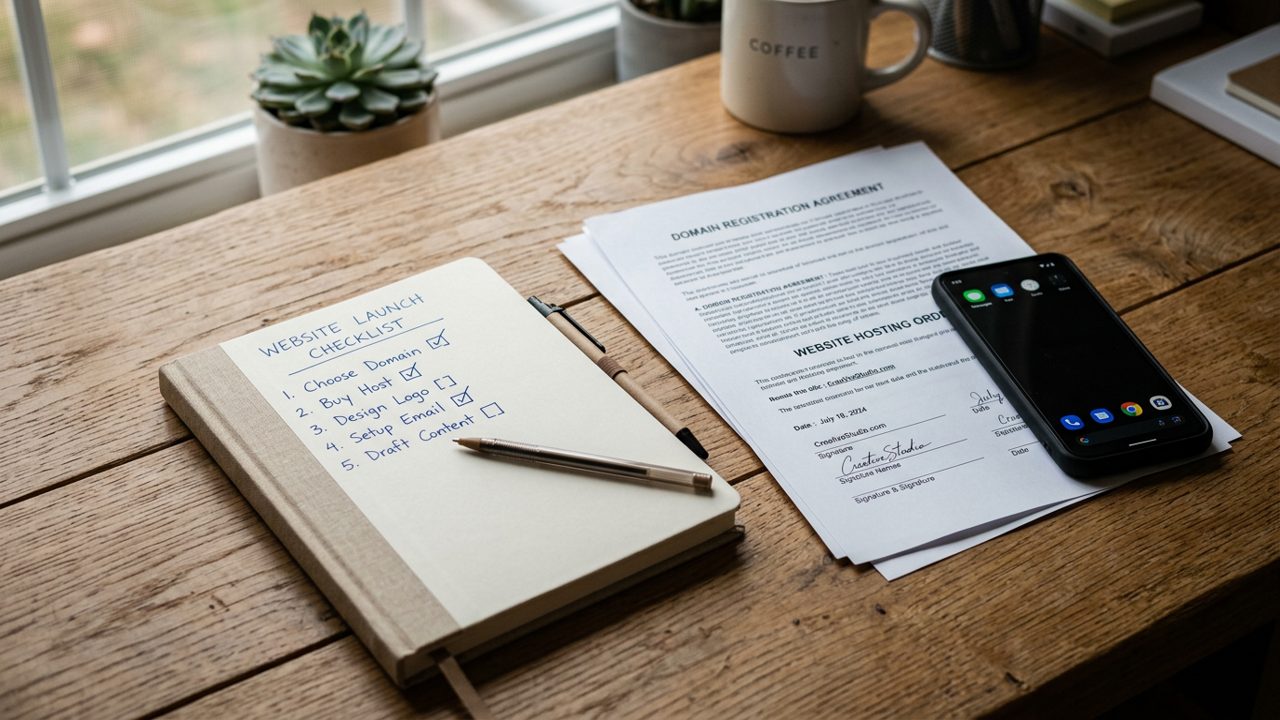
What you need before you create a website with AI
You do not need technical skills to create a website with AI, but you do need a few basics ready. The clearer your inputs, the better your draft will be. That is especially true if you want a site that feels specific instead of generic.
Start with these essentials:
- Your business name and short description
- A clear goal, such as bookings, leads, sales, or donations
- Your main services, products, or offers
- Brand basics, such as colors, logo, and preferred tone
- Any real photos, testimonials, or trust badges you can use
- The pages you expect to need, such as Home, About, Services, Contact, or Shop
It also helps to think about launch support. Many beginners want more than a generator. They want a usable template system and help if something gets stuck. That is where Avantiy’s customizable website templates can speed up the process, especially if you want a cleaner starting point. If your project is a service business, this AI website builder guide for small business owners can help you decide what to prepare first.
Before you build, gather the facts you would want a customer to see within seconds. Then create a website with AI becomes much easier, because the builder is working from real information rather than guesswork.
What makes a good AI website prompt?
A good prompt is specific, practical, and audience-focused. It should say what the business does, who it serves, what pages are needed, and what style the site should feel like.
For example, a vague prompt says, “Make a website for my business.” A stronger prompt says, “Create a website with AI for a neighborhood landscaping company. Use a friendly tone, include services, testimonials, and a quote request form, and make the design clean and local.”
Step 1: Write a clear website prompt when you create a website with AI
The first step to create a website with AI is writing a prompt that leaves little room for confusion. A strong prompt tells the builder what kind of business you run, what action you want visitors to take, and which pages matter most.
Think of the prompt as your project brief. If you are a consultant, say so. If you run a bakery, say that too. Then add details about tone and structure. For example, a prompt for a nonprofit might ask for donation-focused messaging, an event section, and volunteer sign-up options. A prompt for a local electrician may need service areas, emergency contact details, and a simple quote form.
Useful prompt formula:
- Business type
- Target audience
- Main goal
- Required pages
- Tone or style
- Special features, such as booking, forms, or store items
If you want a more detailed starting framework, Avantiy’s free AI website builder with prompt guide shows how to turn a rough idea into a working draft. For a broader walkthrough, this step-by-step guide to build a website with AI is also useful.
The better the prompt, the less cleanup you need later. That saves time and improves the quality of the first draft.
Example prompt structure for beginners
Use simple sentences. For example: “Create a website with AI for a mobile dog grooming service. Keep it friendly and professional. Include a homepage, services page, pricing section, testimonials, and a contact form. Use a clean modern look with calming colors.”
That kind of prompt gives the builder enough direction to produce a useful first version.
Step 2: Generate your first draft and review the structure
Once your prompt is ready, generate the draft and review the layout before changing anything else. This is the fastest way to spot structural issues early. A strong draft should make the business easy to understand within a few seconds.
Look first at the page hierarchy. Does the homepage introduce the business clearly? Are the service pages organized in a sensible way? Is there a contact path on every important page? If you plan to create a website with AI for a store, check whether product categories and collection pages make sense from the start.
At this stage, do not worry about perfect wording. Focus on whether the site feels right for your goal. A landing page builder is ideal when you need one conversion-focused page. A multi-page setup is better when your business needs room for services, FAQs, and trust content. If you are unsure which format fits, Avantiy’s AI landing page generator is useful for campaign pages, while this AI website builder and hosting guide explains what happens after publishing.
For a real-world comparison mindset, the video below is a practical walkthrough of the workflow.
That kind of review helps you see where AI is strong and where human editing still matters. It is one of the best ways to create a website with AI without ending up with a generic result.
What should you check in the first draft?
Check clarity, page order, mobile readability, and whether the call to action is obvious. Also confirm that the draft matches your business model.
If you sell services, the site should guide visitors toward contact or booking. If you sell products, the draft should support browsing, product detail, and checkout flow.
Step 3: Customize pages, branding, and content when you create a website with AI
Customization is where your site stops feeling AI-generated and starts feeling like your brand. After the draft is built, adjust the text, visuals, colors, section order, and page names so the site reflects your business accurately.
Focus on the pieces visitors notice first:
- Headline and subheadline clarity
- Brand colors and logo placement
- Service descriptions or product summaries
- Testimonials or trust signals
- Contact forms, booking buttons, or shop actions
This is also where content quality matters most. Replace vague lines with real examples. For instance, a salon can mention haircut, coloring, and bridal styling. A nonprofit can explain who it helps and how donations are used. A consultant can spell out process, packages, and outcomes.
If you want support during this phase, human help can make a big difference. Avantiy is built for people who want AI speed without feeling alone in the process. That is especially useful if you need guidance from chat, email, phone, or video call. You can also compare your options with Avantiy’s AI web design tool guide for non-designers and its guide to creating a website without coding.
The goal is not to over-design. It is to make every page useful, easy to scan, and consistent with your brand. When you create a website with AI, this customization phase is what turns a draft into a professional presence.
How much should you edit AI-written copy?
Edit enough that the final copy sounds like your business, not a template. Keep the useful structure, but rewrite anything that feels too broad or too polished.
Shorter sentences often work better than long marketing phrases. Clear beats clever when the visitor is deciding whether to contact you.
Step 4: Connect your domain and publish your website
The final step to create a website with AI is connecting your domain and publishing the site. This is where your draft becomes a public business asset. Before you launch, check mobile view, forms, links, and page spelling one more time.
A simple launch checklist helps:
- Confirm the domain points to the new site
- Test the homepage, contact page, and any forms
- Review mobile spacing and button size
- Make sure legal pages and business details are easy to find
- Check that images load properly
If your builder includes hosting, publishing can be smooth because everything stays in one place. That is one reason AI website builder and hosting matters for beginners. It reduces handoffs and keeps the setup easier to manage.
For a broader look at how a site moves from draft to live, the following page and external examples are useful: Avantiy’s AI website builder platform, Base44’s AI website builder overview, and CodeDesign.ai’s AI website builder.
Once published, keep improving. Add real testimonials, refine service pages, and update images over time. A website is never really finished, but create a website with AI can get you to a strong first version far faster than starting from scratch.
What should you do after launch?
After launch, test the site as a visitor would. Send the link to a few trusted people and ask where they hesitate or get confused.
Then improve the pages that matter most. Usually that means the homepage, contact page, and any page tied to leads or sales.
Example prompts to create a website with AI for common business types
The easiest way to create a website with AI is to use a prompt that matches your business model. Different businesses need different page structures, calls to action, and trust signals.
Try these examples as a starting point:
- Local service business: “Create a website with AI for a plumbing company. Use a trustworthy tone, service pages, emergency contact details, and a fast quote form.”
- Consultant: “Create a website with AI for a marketing consultant. Include services, case studies, a booking link, and a simple personal brand style.”
- Ecommerce starter: “Create a website with AI for a small online store selling skincare. Include product categories, featured products, shipping info, and FAQs.”
- Nonprofit: “Create a website with AI for a community nonprofit. Focus on mission, programs, donations, events, and volunteer sign-up.”
If you want ideas for launch-ready layouts, Avantiy’s customizable templates can help you move from prompt to structure faster. For example, a service business may need a shorter homepage, while an online store may need stronger product organization.
The best prompt is not the longest one. It is the clearest one. Keep the business goal obvious, and the AI draft will usually be much more useful.
Which AI is best to build a website?
The best AI to build a website is the one that combines generation, editing control, publishing tools, and support. For beginners, that usually means a builder that can create the draft and also help you finish it.
If you want both speed and guidance, choose a platform that supports customization, hosting, and real human help after the draft is generated.
Common mistakes to avoid when you create a website with AI
The biggest mistake is treating the first draft as final. AI can save time, but it still needs review, editing, and business context. Another common issue is using a vague prompt, which leads to generic sections and weak messaging.
Avoid these mistakes:
- Skipping the prompt details
- Leaving placeholder text in place
- Ignoring mobile layout
- Using too many pages too soon
- Publishing before testing forms and links
- Writing copy that sounds polished but says very little
You should also avoid choosing a builder only because it is fast. Speed matters, but so does support. Many beginners need a clearer path when they get stuck on copy, design, or publishing. If you are comparing options, Avantiy’s best AI website builder 2026 guide can help you evaluate features before you commit.
The video below is useful if you want a builder comparison mindset before making a final decision.
In practice, the safest way to create a website with AI is to use the AI for drafting and the human for decision-making. That balance produces a better site and fewer launch problems.
How do you know the site is ready to publish?
It is ready when the homepage is clear, the contact path works, the site looks good on mobile, and the content matches your business.
If a visitor can understand who you are, what you do, and what to do next, you are close to launch.
Key Takeaways
- You can create a website with AI quickly, but the best results still need human review and editing.
- A strong prompt is the foundation of a better first draft.
- Customization matters most for branding, clarity, and trust.
- Publishing is the final step, but testing should happen before launch.
- Beginners often do best with a builder that combines AI tools, templates, hosting, and real support.
Frequently Asked Questions
Can AI generate a website?
Yes, AI can generate a website draft with layouts, starter copy, and page structure. However, you still need to review and refine it so the final site matches your brand and goals. That is why create a website with AI works best as a guided process, not a one-click finish.
Can I create a website with AI for free?
Sometimes, yes, depending on the platform and plan. Free options may let you test the builder or create a basic draft, but publishing, custom domains, or advanced features often require a paid plan. If you plan to launch a real business site, check what is included before you start.
Can ChatGPT create a website?
ChatGPT can help you write website copy, structure pages, and draft code ideas, but it is not a complete website publishing system by itself. To create a website with AI in a practical way, most beginners need a builder that can generate, customize, host, and publish the site in one workflow.
Which AI is best to build a website?
The best choice is the AI website builder that fits your skill level, site type, and support needs. Beginners usually benefit most from a platform that offers templates, easy editing, publishing tools, and real human support, so they can create a website with AI without getting stuck.