You don't need to learn code, choose a complicated theme, or start with a blank page to get your business online.
With an AI website builder such as Avantiy (https://www.avantiy.com/), you can describe your idea in plain English and receive a polished website starting point in minutes. You can then adjust the design, rewrite the content, add your own images, and publish when everything feels right.
This guide explains how to generate a website from a text prompt, what to include in your prompt, and how to turn your first AI-generated draft into a website that feels genuinely yours.
Why build a website with AI?
Traditional website building often begins with a blank screen. You need to think about page structure, navigation, design, copy, images, and technical settings before you can make visible progress.
AI gives you a head start.
You describe your business, audience, style, and goals. The AI can then create a starting structure with pages, sections, copy, and design ideas. You remain in control of the result through a visual editor.
That means you can:
- Start without coding or design experience.
- Avoid making every decision from scratch.
- Create a professional first draft quickly.
- Refine every word, image, colour, and layout.
- Add business tools as your needs grow.
AI does the early heavy lifting. You decide what stays, what changes, and when to publish.
No blank page. No coding requirement. No immediate commitment.
What you need before you start
You don't need a complete brand strategy or a finished sitemap. A few useful details will help the AI create a more relevant first draft.
Have these basics ready:
- Your business or project name.
- What you offer.
- Who you help.
- Your location, if you serve a specific area.
- What makes your business different.
- Your preferred tone and visual style.
- The main action you want visitors to take.
For example, you might want visitors to book a consultation, request a quote, buy a product, join your mailing list, or view your portfolio.
The clearer your goal, the more useful your starting point will be.
01 : START WITH YOUR IDEA
Write a clear, useful prompt
The quality of your prompt affects the quality of your first draft. You don't need to use technical language. In fact, plain English is often best.
Instead of writing:
"Create a website for my business."
Try something more specific:
"Create a friendly, modern website for Bright Path Coaching, a career coaching business based in Manchester. We help early-career professionals feel more confident at work and find their next role. Create Home, About, Services, Testimonials, FAQ, and Contact pages. Use a calm blue and warm yellow colour palette. The main call to action should be 'Book a free discovery call'. Write clear, encouraging copy for professionals aged 25 to 40."
This prompt gives the AI helpful context about:
- The business.
- The target audience.
- The service.
- The location.
- The desired pages.
- The visual direction.
- The preferred tone.
- The primary call to action.
You can use this simple prompt formula:
Build a [type of website] for [business name], which helps [audience] with [product or service]. The website should feel [tone and style]. Include [key pages or sections]. The main action should be [call to action].
You can always add more detail later. Start with what you know.
02 : GENERATE YOUR WEBSITE
Let AI create your starting point
Enter your description into Avantiy's AI website generator. The platform uses your prompt to create a complete website structure, including page layouts, starter copy, and relevant sections.
Depending on your idea, your first draft might include:
- A homepage hero section.
- An About page.
- Service or product sections.
- Testimonials.
- Frequently asked questions.
- Contact forms.
- Calls to action.
- Navigation and footer content.
This is the moment when your idea becomes something you can see and interact with.
You don't have to get everything perfect in the first prompt. The goal is to create a strong foundation that you can shape in the editor.

03 : SHAPE YOUR SITE
Refine the first draft in the visual editor
An AI-generated website should be a starting point, not the final version.
Open the visual editor and review the site from top to bottom. You can drag and drop sections, change layouts, adjust spacing, update colours, and replace images without touching code.
Start with the details that matter most to your visitors.
Improve the homepage message
Your homepage should quickly answer three questions:
- What do you offer?
- Who is it for?
- What should the visitor do next?
Replace vague headlines with direct, benefit-led copy. For example:
- "Digital marketing services for growing local businesses."
- "Custom cakes for celebrations worth remembering."
- "Simple bookkeeping for independent consultants."
Your headline doesn't need to sound clever. It needs to be clear.
Make the design feel like your brand
Choose colours, fonts, images, and layouts that match the personality of your business. Upload your logo and replace generic visuals with your own photography, product images, or portfolio work where possible.
Templates can help you move faster, too. Avantiy's template library (https://avantiy.com/templates) includes designs for businesses such as consultants, law firms, fitness studios, salons, agencies, and online stores.
Check every call to action
Make the next step obvious. Depending on your business, this could be:
- Book a call.
- Request a quote.
- Shop now.
- View the portfolio.
- Join the mailing list.
- Contact the team.
Use the same primary action throughout the site where it makes sense. Consistency helps visitors move forward with less hesitation.
What to refine after the first AI draft
If you're nervous about AI-generated site quality, that's completely understandable. The first result may be polished, but it might still sound too general or miss details that only you know.
Use the first draft as a checklist.
Replace generic claims
AI may use phrases such as "high-quality service" or "customer-focused solutions." These are fine as placeholders, but your website will be more convincing when you explain what makes your approach different.
Add specific details:
- How long you've been operating.
- Which areas you serve.
- What your process includes.
- Which customers you work best with.
- What customers can expect.
- Why they choose you instead of an alternative.
Check facts and contact details
Review every phone number, email address, opening hour, price, service description, and location. Remove any placeholder content before publishing.
AI can organise information quickly, but you should always approve the final details.
Add your own voice
Read the copy aloud. Does it sound like something you would say to a customer?
Use the AI content assistant to shorten paragraphs, change the tone, correct spelling, translate text, or create alternative versions. Avantiy's AI Assistant (https://avantiy.com/ai-assistant) works directly inside the editing experience, so you can improve individual sections without starting again.

Review the mobile version
Many visitors will see your website on a phone. Check that:
- Headlines are easy to read.
- Buttons are large enough to tap.
- Images are cropped correctly.
- Forms are simple to complete.
- Menus are easy to use.
- Important information appears near the top.
Avantiy sites are responsive by design, but reviewing each view helps you catch details that need a personal adjustment.
04 : CONNECT THE ESSENTIALS
Prepare your site for real visitors
Once the design and content are in place, add the tools your business needs.
You can connect a custom domain, add forms, include booking tools, create an online store, or connect your existing business apps. Avantiy supports integrations with more than 400 popular apps, along with built-in widgets for maps, reviews, payments, popups, and more.
For growing websites, you can also use dynamic pages and connected content from sources such as Google Sheets or Airtable. This is useful for directories, property listings, portfolios, catalogues, and other sites with regularly changing information.
05 : CHECK AND PUBLISH
Go live when it feels right
Before publishing, complete a final review:
- Test every navigation link.
- Submit each form.
- Check your contact details.
- Review the site on mobile and desktop.
- Confirm your page titles and descriptions.
- Add useful image alt text.
- Check your domain settings.
- Read your main pages once more.
Avantiy includes built-in SEO tools to help you manage metadata, sitemaps, SSL, responsive design, structured data, and other technical foundations. You can also use the SEO overview to spot issues such as missing alt text, broken links, and metadata gaps.
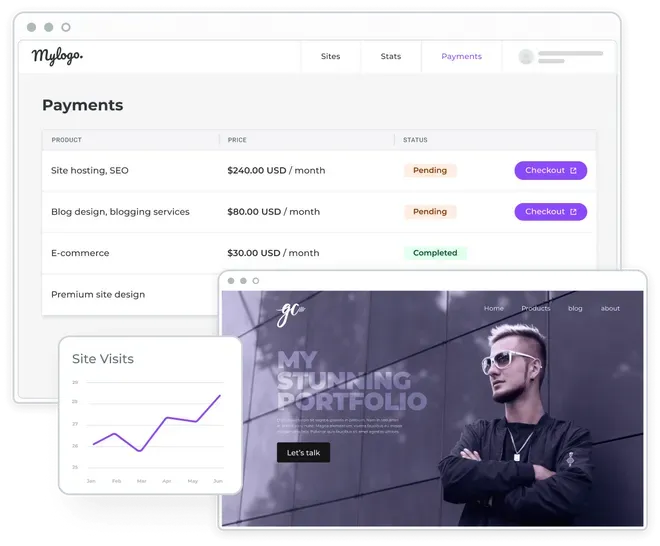
Remember, SEO is not only about adding keywords. Helpful content, clear page structure, a good user experience, and accurate business information all matter.
Can you create a website without coding?
Yes. The easiest way to understand how to create a website without coding is to think of the process as guided editing rather than traditional development.
You provide the direction. AI creates a starting point. The visual editor gives you control. Built-in tools help you connect the final pieces.
You don't need to understand HTML, CSS, hosting, or databases to begin. And if you later need more advanced functionality, you can add eCommerce, memberships, dynamic content, integrations, custom widgets, and other tools as your business grows.
Build your website without pressure
You can start creating with Avantiy without entering a credit card. Build, test, and refine your website before making a publishing decision.
That gives you time to explore the editor, compare layouts, improve your copy, and make the website feel right for your business.
When you're ready, connect your domain and publish with the technical foundation already in place.
A professional website can begin with a few plain-English sentences. From there, you choose the direction, refine the details, and publish when it feels right.