
Here’s the short version: how to make a website uk in 2026 is to pick a trusted builder, describe your business in plain English, generate pages with AI, then refine in a no‑code editor, add bookings or shop features, connect a domain, and publish—focusing on SEO, accessibility and security from day one.
Myth vs Fact: The UK Website Setup at a Glance
The web is full of confident hot takes about launching a site. Some are outdated, some are sales pitches dressed as advice, and a few are genuinely helpful. Below is a quick myth vs fact table to set realistic expectations for UK small businesses in 2026. Use it as a lens to evaluate tools, quotes and well-meant advice from friends, forums and vendors.
| Myth | Fact | Why It Matters | Quick Action |
|---|---|---|---|
| “A professional site takes months.” | With AI-assisted builders and templates, a solid MVP can go live in days—sometimes hours—if content is ready. | Speed to market means faster learning and earlier revenue. | Prepare copy and images first; publish a focused version, then iterate. |
| “You must code to get quality.” | No-code editors now deliver standards-compliant, responsive and accessible layouts without hand-coding. | Coding is great, but not a prerequisite for a secure, fast, flexible site. | Choose a builder with robust theming, components and accessibility checks. |
| “SEO equals stuffing keywords.” | Modern SEO is about search intent, structured content, speed, and accessibility. | Quality content and technical hygiene beat keyword spam. | Map pages to buyer questions and add schema, alt text and internal links. |
| “Accessibility is optional.” | While many UK rules target public sector, inclusive design reduces risk and expands your audience. | Accessible sites improve UX, SEO and brand trust. | Adopt WCAG-minded patterns: contrast, focus states, captions and ARIA where needed. |
| “Cheapest hosting is fine.” | Bargain infrastructure often skimps on security, speed and support. | Performance and uptime affect conversions and rankings. | Ask about certifications, SLAs and UK-based support responsiveness. |
| “One page is always enough.” | Single-page sites can work, but most businesses benefit from dedicated pages for services, locations and FAQs. | More relevant entry points mean higher intent traffic. | Start lean, but plan scalable navigation as you grow. |
For a deeper starter checklist and misconceptions to avoid, see the companion guide Myth vs Fact: Set Up a Website UK the Right Way, which expands on decisions around domains, content, and integrations in a UK context.
What’s the Real Process for how to make a website uk?
Process clarity turns “I’ll do it one day” into “I published this week.” While each business has quirks, the core flow is remarkably consistent. Think of it as five sprints: Plan, Generate, Refine, Enable, Launch. You can run them linearly or loop through quickly in short cycles to avoid getting stuck on perfection.
Plan: define your key outcomes (e.g., more bookings, enquiries, or sales), audience, and the pages that support those outcomes. Generate: use an AI builder to turn a short description of your business into first-draft pages and on-brand copy. Refine: adjust layout, images and tone in a visual editor, and add SEO basics (titles, meta, alt text). Enable: switch on ecommerce, appointments or memberships; test checkout and calendar flows. Launch: connect your domain, set up analytics and keep a tidy update cadence.
Practical checkpoints help you move fast without breaking the essentials:
- Content: prepare service summaries, prices (if public), bio, FAQs, and at least 5–10 strong images.
- Compliance: draft your privacy notice and cookie messaging; collect consents appropriately.
- Trust: add social proof such as testimonials or memberships; ensure contact details are obvious.
- Performance: preview on mobile, run basic speed checks, and compress heavyweight media where possible.
AI assistance is particularly useful for structure and first drafts—you stay in control of tone and fine details. A platform like Avantiy pairs AI-generated pages with a no-code editor, so you can keep the speed of generation without sacrificing brand fit. Crucially, you can defer nice-to-have polish until after launch while still shipping a professional baseline.
Do I Need a Developer, Designer or Can I DIY?
It depends on your goals, budget and the amount of personalisation you truly need. Many UK small businesses are best served by a hybrid approach: use a no-code builder to get 80–90% of the way in days, then commission limited design time for nuanced typography, illustrations or content polish if required. That combines speed with finesse while staying cost-efficient.
DIY with AI isn’t a compromise anymore. When your platform includes templating, sections, components, and built-in accessibility checks, you’re not reinventing the wheel. You’re selecting a proven layout and refining it, just as you’d customise a professionally designed theme. For more context on tool options and when to consider outsourcing, this explainer offers useful comparisons: The Small Business Builder Comparison: An FAQ-Led Explainer.
Where do specialists still shine? Complex custom web apps, deep integrations, or unique content strategy demands. If your site needs intricate product configurators or bespoke booking logic, a developer’s input can be the right call. For most service providers, retailers, and organisations, an AI builder with ecommerce, calendars and memberships already covers the heavy lifting—with UK-based support and an infrastructure that’s ISO 27001 and SOC 2 certified adding essential peace of mind for security-conscious teams.

Budget Reality: What Does a UK Small Business Actually Spend?
People google how to make a website uk and see headline prices that don’t include add‑ons: domains, premium templates, payment processing fees, or time spent wrangling integrations. A more honest way to budget is to start with outcomes. If your site can book 10 more jobs a month or convert a handful of extra online sales, the platform cost becomes a lever, not a line item to minimise blindly.
For most small organisations, sensible spend breaks into three areas: platform subscription, content and brand assets, and optional specialist time. Subscriptions with ecommerce or bookings usually come in tiers so you’re not paying enterprise rates on day one. Content costs vary: some owners write their own copy with AI prompts, while others invest in a day of brand photography or a half-day edit from a copywriter. A short, targeted design consultation can be worth it if you want a distinctive look without commissioning a full custom build.
Lifetime cost of ownership matters more than upfront fees. A cheaper tool that chews up hours every month is costlier than a slightly pricier service that saves you two afternoons of fiddling. Look out for hidden fees in plugins, transaction surcharges, or paywalled essentials like SSL and backups. For a UK-specific breakdown of spend vs value, see The Best Website Builder for Small Business UK: Cost and Value Breakdown.
SEO, Accessibility and Legal Basics You Can’t Ignore
Search, inclusivity and compliance aren’t “extras”—they’re foundations. A practical checklist for how to make a website uk includes on-page optimisation, accessible patterns, and the right policies. Start with page intent: who’s the visitor, what do they need, and what’s the next step? Align headings, body copy and imagery to that intent, and keep each page focused on a single primary topic.
Accessibility is good business. Even though the UK’s accessibility regulations primarily apply to the public sector, following the spirit of WCAG—clear contrast, keyboard navigation, alt text, descriptive links—improves experience for everyone and often boosts SEO. On the legal front, ensure your privacy information reflects your data flows and cookies, and that you handle user data responsibly. The Information Commissioner’s Office maintains an accessible Guide to UK GDPR to help small organisations understand their obligations.
Security is a parallel track. Use strong, unique passwords; enable MFA; and keep roles limited to those who need access. The National Cyber Security Centre’s Small Business Guide is a practical reference. Platforms that provide ISO 27001 and SOC 2 certified infrastructure, automated backups, and UK-based support reduce risk and operational burden so you can focus on content and customers rather than patching servers.
Want tailored help? You can book a free 1:1 setup and training session to get hands-on guidance with SEO, accessibility checks, and the right ecommerce or booking configuration for your goals.

Ecommerce, Bookings and Memberships: Choosing the Right Setup for Services vs Shops
Your business model drives the features you need. Shops typically require product variants, inventory, taxes, shipping rules and promotions. Services need calendars, buffer times, deposits, automated reminders and clear scheduling rules. Organisations with paid communities look for gated content, recurring billing, and member directories. The key is to avoid bolting on fragile plugins when a platform’s native features already cover 90% of your use case.
For a boutique retailer, start with a lean catalogue of your proven sellers. Configure tax settings that reflect where you ship and whether you price inclusive or exclusive of VAT. Test the entire checkout flow on mobile, including guest checkout and address entry. For a physiotherapy clinic, clear session lengths, automated email/SMS reminders, and cancellation policies reduce no-shows and admin. For a professional association, ensure your membership plans map to meaningful benefits and your renewal emails are friendly, succinct and timely.
Native AI can also help keep catalogues and services tidy. Generate category descriptions, short product blurbs, and SEO titles that reflect real search intent. For bookings, summarise offerings with plain-English calls to action and add buffer information in confirmation messages so clients show up prepared. If you begin with just one line of services or a limited set of products, you can expand structure later without re-platforming—especially if your builder supports both ecommerce and scheduling under one roof.
How Long Will It Take and What Should You Prepare?
Timelines vary by content readiness more than by platform capability. If your branding is in place and you can describe your business in a couple of paragraphs, you can often generate a solid first draft in a single session. The time-saving trick is to separate planning from polishing. Publish a complete, credible version that answers core questions, then schedule lighter edits and additions over the next few weeks.
Before you start, assemble a simple “starter kit” so the build moves briskly:
- Business summary (2–4 sentences), audience notes, and 3–5 competitor examples for inspiration.
- Logo files (SVG/PNG), brand colours, and any preferred fonts (or a vibe reference).
- Top pages: Home, Services/Shop, About, Contact, and one conversion-focused landing page.
- 5–10 images (team, product, premises) and consent to use any third-party assets.
- Opening hours, service areas, pricing stance (public or on enquiry), and lead times.
- Draft privacy notice and cookie approach, even if you’ll refine it post-launch.
Buffer time for reviews is smart. If teammates need to sign off, set a quick decision rule: either approve, request a specific change, or ping-pong back within 24 hours. That momentum matters. After launch, phase two can add richer content: FAQs, blog posts, case studies, and expanded service or collection pages informed by early analytics and customer feedback.

Content That Converts: Pages, Copy and Structure That Win Trust
If you’re still asking how to make a website uk, remember that structure and copy convert visitors into customers. Clarity beats cleverness. Each page should state who you help, what you do, why it’s valuable, what it costs (or how to get a quote), and what happens next. Remove fluff. Make contact methods obvious and friction-free—phone, email, form, or booking button based on your model.
Use simple, repeatable blocks so visitors don’t have to relearn your layout on every page. A hero with a plain-English value proposition, a short benefit grid, social proof, and a clear call to action is a resilient pattern for both services and shops. On product pages, prioritise crisp images, variant clarity, delivery timelines, returns, and trust signals like payment badges and guarantees. On service pages, surface price ranges or packages where possible; it filters and builds confidence.
Search-wise, build a hub-and-spoke model: a concise hub page for a service area, with spokes for each sub-service or location. That aligns with modern intent-based SEO and keeps navigation tidy. For inspiration on turning first drafts into revenue-generating pages, take a look at this walkthrough: SEO Landing Pages Case Walkthrough: From First Draft to First Sale. The key is iteration—small, smart edits based on real visitor behaviour are more effective than long delays chasing a mythical “perfect” page.
Switching and Scaling: Can You Migrate Later Without Headaches?
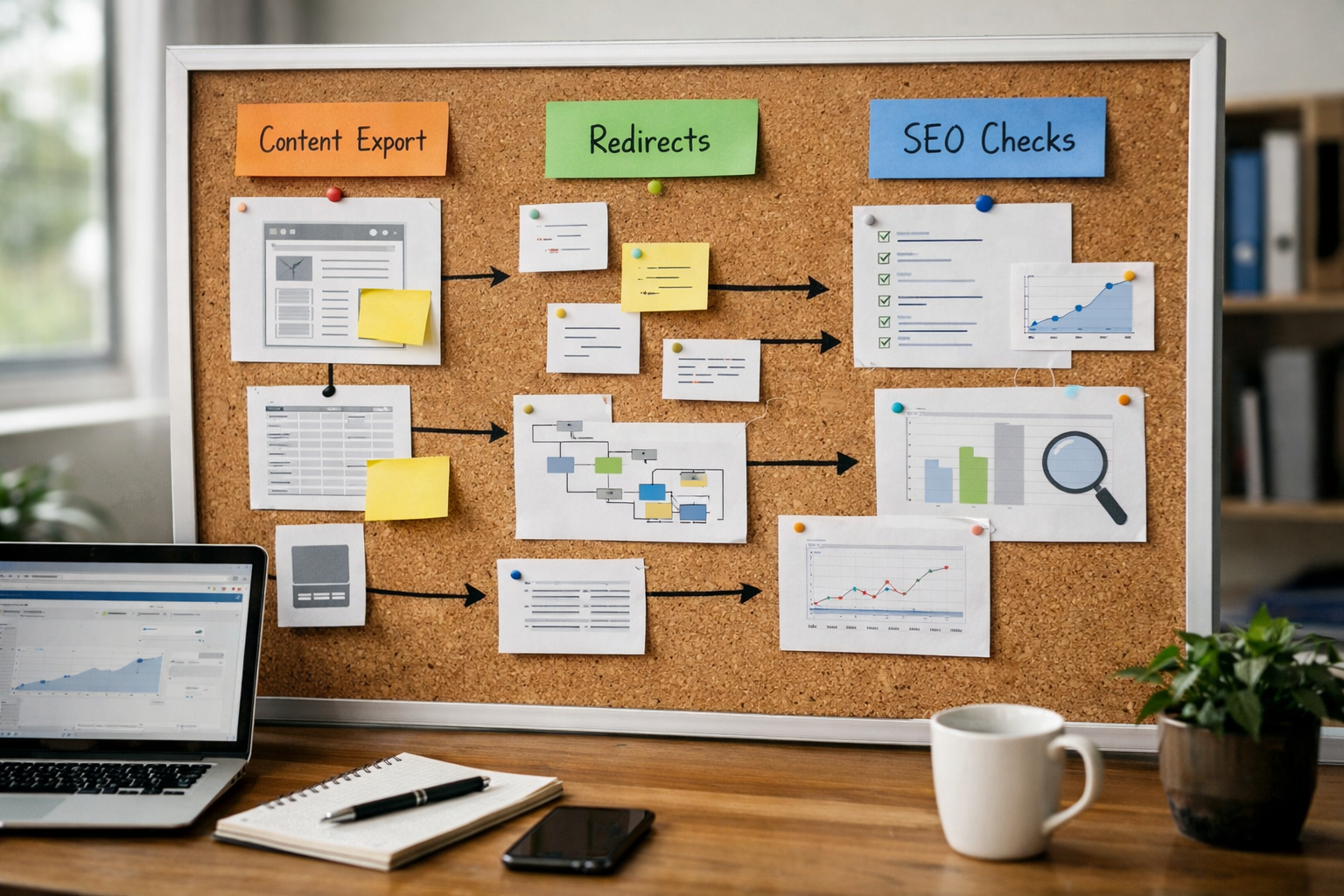
Yes, if you plan ahead. Vendor lock-in is more about content structure than tools. If you keep your pages, media, product data and redirects tidy, you can move platforms when the time is right. Prioritise builders that let you export content, map URLs cleanly, and manage SEO meta at the page level. That way, a future switch preserves your search equity and customer journeys.
Think about scale in layers: traffic growth, content volume, and operational complexity. As you grow, you may add staff accounts, more granular permissions, inventory rules, or new membership tiers. Look for a platform with sensible role-based access, audit trails, uptime commitments, and proven certifications like ISO 27001 and SOC 2. Those signals matter when clients or partners begin to ask compliance questions—and they’re common once you start landing larger contracts.
Finally, minimise bespoke code unless it’s strategic. Every custom script is something you’ll need to test, monitor and migrate. Instead, use native features for ecommerce, bookings and SEO where available, and reserve custom work for clear differentiators that genuinely move the needle. That approach keeps your site nimble today and portable tomorrow.
Frequently Asked Questions
What are the first three steps to get a UK site live quickly?
Define outcomes (enquiries, bookings, sales), gather essentials (brand assets, service summaries, images), then use an AI builder to generate pages you can refine. Enable the features you need—ecommerce or bookings—and connect your domain. Publish a credible version this week, then book time next week for polish and extra content.
How do I handle privacy notices and cookies on a small business site?
Write a clear privacy notice that reflects what data you collect and why. Use a cookie approach that distinguishes strictly necessary from optional cookies and records consent. Keep it simple and genuine; revisit as your tools change. The ICO’s UK GDPR resources are a practical reference for small organisations.
Do I need separate pages for each service or location?
Usually yes. Dedicated pages align with search intent and give visitors the exact information they need—pricing stance, scope, timeframes, and next steps—without hunting. It also improves internal linking and analytics clarity. Start with your top services and most valuable locations, then add more pages based on demand.
How can I make my site accessible without a big budget?
Choose a builder with built-in accessibility checks, use high-contrast colours, ensure keyboard navigation works, add alt text to meaningful images, and write descriptive link text. Provide captions or transcripts for media where possible. Improvements like these are low-cost, cumulative, and beneficial for all users.
What should I track after launch in 2026?
Start with the basics: enquiries/bookings/sales, top entry pages, mobile performance, and search queries bringing visitors in. Watch bounce and scroll depth to find weak spots. Make one change at a time—headlines, calls to action, or page order—and give each change enough time to gather meaningful data before iterating.
Ready to launch with AI-powered speed, UK-based support, and built-in ecommerce, bookings and SEO? Start free today with Avantiy—no card required, and you can keep your site free until you publish.