
If you want a fast, professional site without touching code, a no code website builder lets you describe your business, generate pages and refine everything in a visual editor. This checklist walks you from first prompt to launch: branding, content, ecommerce and bookings, SEO, performance, security and ongoing improvements—so you can publish with confidence.
Start Here: What You’ll Achieve With This Checklist
By the end of this guide you’ll have a clear, repeatable process to define goals, generate on-brand content, configure ecommerce or bookings, set up SEO and analytics, and run final launch checks. The aim is to minimise decisions, reduce rework and ship a site that’s credible on day one—and easy to improve on day two.
We’ll move from quick wins to expert-level polish. You’ll capture a concise brief, feed it into your builder’s AI, and then refine structure, layouts and accessibility. You’ll choose the right selling mode—products, services, memberships—and add secure payments and essential policies. For visibility, you’ll set titles and meta descriptions, craft search-friendly pages and measure what matters.
Although this checklist is tool-agnostic, it highlights where an AI-led platform can save hours: initial structure, draft copy, image alternatives and technical SEO. If you’re selecting a platform right now, a strong choice will combine an intuitive visual editor, ecommerce and scheduling options, built-in accessibility and SEO guidance, and dependable UK-based support. That’s what most people expect from a modern no code website builder.

What Makes a No Code Website Builder Truly 'No Code'?
“No code” should mean you can complete end-to-end setup—content, design, commerce, bookings, SEO and analytics—without writing a line of HTML, CSS or JavaScript. Look for an AI assistant that converts a plain-English description of your business into pages, sections and draft copy you can then refine in a visual editor with drag-and-drop blocks.
Key capabilities include live previews, reusable components, automatic mobile responsiveness, and guardrails that keep spacing and typography consistent. You’ll also want sensible defaults for performance—image optimisation, caching and a global CDN—so you don’t need plugins for basic speed. For credibility and longevity, prioritise platforms with strong security practices and independently audited infrastructure (for example, ISO 27001 and SOC 2 certifications).
Finally, “no code” doesn’t mean “no depth”. A quality platform should allow advanced configurations without scripting: custom forms and workflows, structured content fields, multi-location hours, tax and shipping rules, and granular SEO controls (titles, meta, sitemaps and schema). If the tool can generate compliant headings, colour-contrast-safe palettes and alt text suggestions, even better—you’ll launch faster and more inclusively.
Who Is It For—and When Should You Use Something Else?
A visual builder suits most small businesses, freelancers and organisations that need a brochure site, online shop, service bookings or paid memberships. If your priority is to ship a credible site quickly, keep the team lean and iterate based on real visitors, it’s a strong fit. You’ll get predictable costs, fast setup and a shorter learning curve than custom development.
Consider alternatives if you need heavy custom application logic, intricate product configurators, or unique integrations that demand bespoke APIs. In those cases, a developer-led or headless approach may be more efficient in the long run. Similarly, if your business depends on marketplace discovery (for example, food delivery platforms), you might start with their native listings while you build a brand hub alongside.
When you’re unsure, think in horizons. Launch with a builder today, validate your offer, and if you later outgrow constraints, migrate with a clearer spec and real analytics. For most early-stage teams, shipping quickly on a managed platform is lower risk than funding a long custom build with unknown ROI.

Step 1: Define Goals, Audience and Structure
Strong sites start with a focused brief. You don’t need a 20-page document—just clear intent. Capture what you sell, who you serve, how they decide, what action you want and what makes you different. This becomes your input prompt, your navigation plan and your success criteria for launch.
Write a mini-brief in 10 minutes
- Offer: one sentence each for products/services, delivery area or online, typical price range.
- Audience: top three customer types and the job they’re hiring you for.
- Proof: credentials, awards, years in business, partnerships or guarantees.
- Action: primary call to action (buy, book, request a quote, join).
- Tone: friendly, expert, fun, premium—pick two words.
Turn the brief into pages
- Navigation: Home, About, Services/Shop, Reviews, FAQs, Contact/Book.
- Conversion: one high-intent page per offer (e.g., “Kitchen Refits” or “Sports Massage”).
- Trust: clear pricing cues, policies, and location or delivery coverage.
Feed this brief to your builder’s AI to generate a first pass at pages, headings and copy. If the platform supports it, ask it to propose internal links between related services and to suggest unique selling points per page. This is a good time to confirm your top keyword themes too—your no code website builder should surface them in titles and meta suggestions.
Step 2: Content in Minutes—Prompts, Pages and AI Editing
With your structure in place, use prompts to draft copy section by section. Start with the homepage hero and primary call to action; then build out service or product pages. Keep prompts specific: who you help, where you operate, proof points, and what to do next. Short, factual inputs lead to tighter output.
Prompt templates you can reuse
- Homepage hero: “We [do X] for [audience] in [place]. [Proof]. [Primary CTA]. Tone: [2 words].”
- Service page: “Describe [service] for [audience]. Include benefits, steps, FAQs and a pricing cue. Make it skimmable.”
- Product page: “Draft product copy with features, benefits, materials, size/fit and care. Add a standout bullet list.”
Refine the drafts with your voice, then layer in real proof: photos, testimonials, guarantees and policies. Use your editor’s components to keep repeated sections—like trust badges or delivery info—in sync across pages. If your builder offers AI tone and length adjustments, tidy up paragraphs for scannability and adjust calls to action to match intent on each page.
As you polish, keep a checklist: each page should have a single purpose, one primary action, a short FAQ and a clear next step. If something doesn’t move the visitor closer to action, trim it. This keeps your site fast to read and easier to convert. A modern no code website builder should help you do all of this inside one editor.
Create your free Avantiy account to try the full flow with AI-assisted pages, editable templates and UK-based support—no card required until you publish.
Step 3: Design, Branding and Accessibility
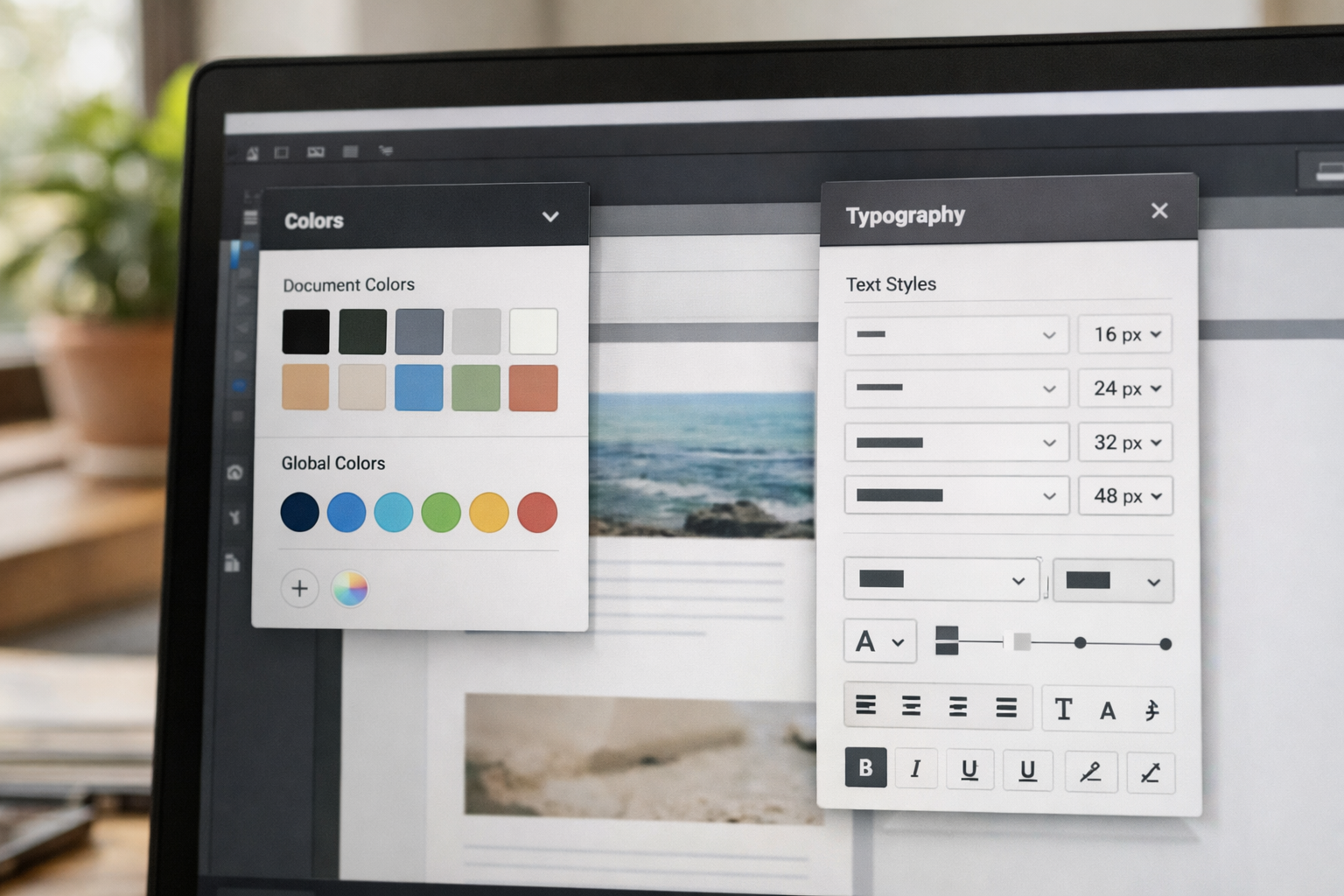
Lock in typography, colour and spacing early so you’re not restyling every block. Upload your logo, pick heading and body fonts with readable sizes, and choose a limited palette with accessible contrasts. Establish base styles for buttons, cards and forms. Then apply them through the site with reusable sections so everything feels intentionally designed.
Accessibility is non-negotiable. Use semantic headings (H1 once per page, logical H2/H3 order), clear link text, labelled form fields and alt text for images. Aim for colour contrast that meets WCAG AA at minimum; many builders can check this for you. For a quick primer on why this matters and what to check, see the W3C’s introduction to accessibility.
Trust design is equally important: show recognisable payment icons, delivery/returns summaries and a simple cookie/privacy message. Keep animations light and purposeful; visitors should always feel in control. When in doubt, favour clarity over novelty—speed to understanding is your competitive advantage on first visit.
Step 4: Ecommerce, Bookings and Memberships—What Do You Actually Need?
Match your selling model to the simplest setup that can deliver the outcome you want. If you sell physical goods, prioritise product variants, tax and shipping rules, and easy refunds. If you sell time (consultations, classes, repairs), look for calendar sync, buffer times, staff availability and payment capture at booking. For memberships, think tiers, gated content and renewal logic.
| Business type | Must-haves | Nice-to-haves |
|---|---|---|
| Retail shop | Variants, inventory, tax/shipping, order emails | Abandoned cart emails, bundles, reviews |
| Service provider | Calendar sync, deposits, buffer times, SMS/email reminders | Packages, group sessions, intake forms |
| Membership organisation | Tiers, gated pages, renewals, receipts | Member directory, event discounts, drip content |
Keep flows short. Use one-page checkout, trusted payment methods and auto-filled address lookups where possible. For bookings, show availability first, then details, then payment. If your platform supports it, add microcopy at friction points (e.g., refund windows, rescheduling rules) to prevent drop-off. Your no code website builder should let you configure these without plugins or custom code.
Before launch, test the full purchase or booking experience on mobile. Make a real purchase at a low price, confirm emails and receipts, attempt a refund, and test calendar updates. For memberships, sign up with two test accounts—one active, one expired—to verify access gates and renewal behaviour.
Step 5: SEO Setup That Actually Moves the Needle in 2026
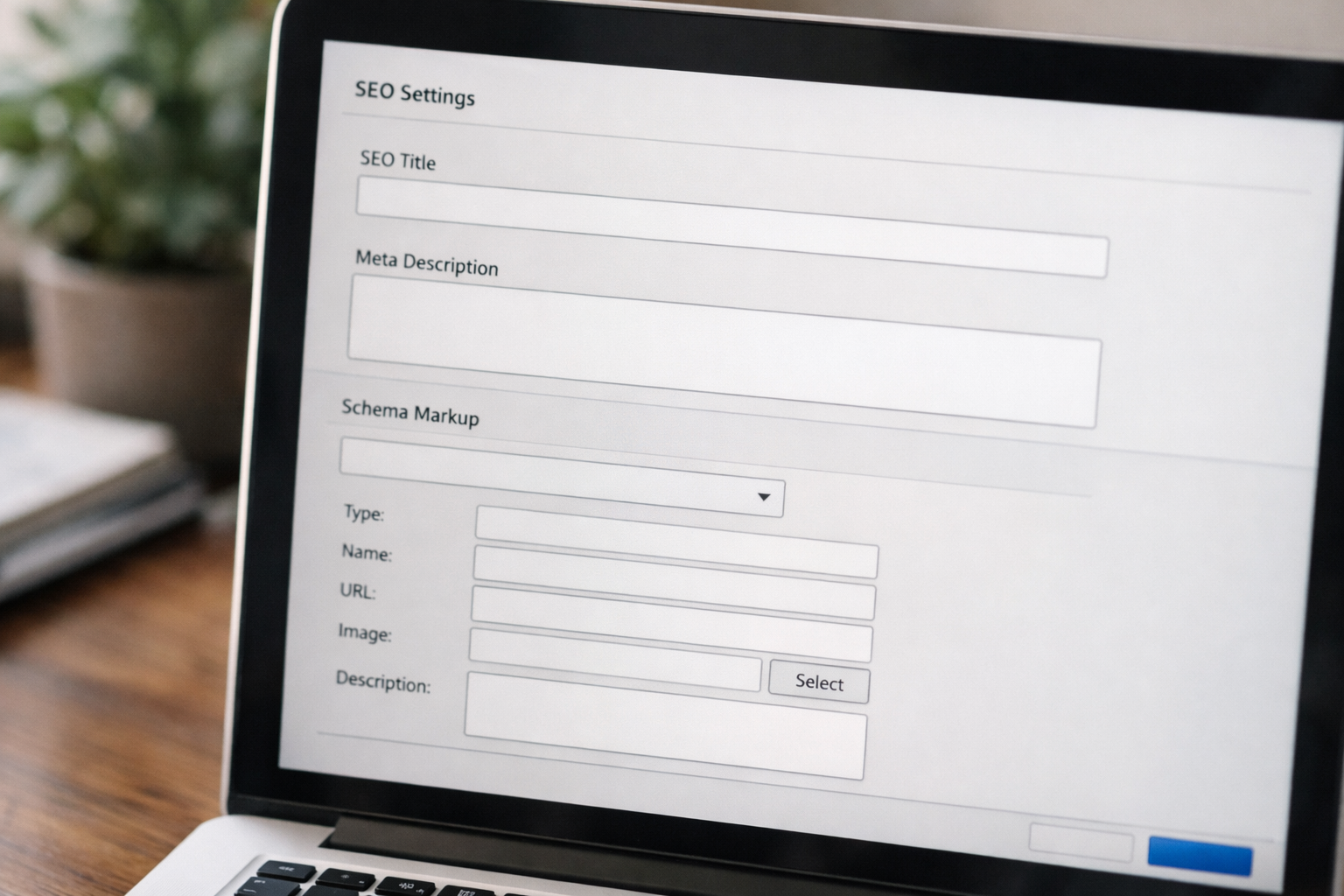
SEO isn’t a checklist you finish—it’s a habit. Start with foundational settings, then keep publishing useful pages. Give every page a unique title and meta description, use descriptive slugs and make headings read naturally. Create a clear internal linking structure from the homepage to key services or categories, and add FAQs where they help real visitors decide.
Foundations to set once
- Automatic sitemaps: ensure your builder updates them on publish.
- Schema: organisation, product, service and FAQ blocks where relevant.
- Speed: image optimisation and caching should be on by default.
Then focus on pages that convert. Build targeted service or product pages for each offer and location you serve. Use plain language, include strong proof and answer buying questions. For an in-depth walkthrough of turning a draft into a revenue-ready page, see our SEO landing pages guide.
Measure weekly. Track impressions and clicks for your top pages, and review on-site searches to spot content gaps. Add or refine a page when you see consistent demand. Keep it pragmatic: small, frequent improvements compound. A good no code website builder will nudge you with AI suggestions for titles, meta and schema as you publish.
Worried About Security and Compliance in 2026?
You shouldn’t need to be a security expert to run a safe site. Choose a platform with SSL by default, managed updates and strong account protections such as multi-factor authentication. Infrastructure audited to recognised standards (for example, ISO 27001 and SOC 2) adds confidence that data is managed responsibly.
Operationally, follow small-but-mighty habits. Use strong, unique passwords and MFA for all team logins. Limit access to what each role needs, and review access quarterly. The UK’s National Cyber Security Centre has a practical Small Business Guide you can action in an hour, and the government’s Cyber Essentials is a helpful framework to baseline your posture.
For compliance, keep transparent privacy and cookie notices and use consent-friendly analytics. Store only what you need, for as long as you need it. Back up critical assets (logos, product data, policies) somewhere separate from your site account. A thoughtful process today means calmer incident response tomorrow.
How Do You Launch Without Surprises?
Good launches are boring—and that’s a compliment. Book time for QA, assign owners and work through a pre-publish list. Verify that every primary and secondary call to action works, every form sends and stores data correctly, and every purchase or booking flow completes on mobile and desktop. Then proofread: headings, buttons and microcopy set the tone.
Pre-publish checklist
- Navigation: no dead ends, important pages reachable in two clicks.
- Content: consistent tone, updated opening hours, prices and policies.
- Accessibility: heading order, alt text, focus states, contrast.
- Performance: largest images compressed; hero sections under control.
- Legal: privacy, cookies, terms and returns policy (if selling).
- Analytics: goals/events configured for purchases, bookings and forms.
Pick a quiet window to publish, announce softly to a small list first, then broaden as you confirm stability. After go-live, monitor errors, emails and analytics for 48 hours. Capture post-launch fixes in a backlog so you can iterate without panicking. Calm, measured releases build trust with your audience—and your team.
Advanced Moves: Automations, Integrations and A/B Tests
Once the basics are humming, add light automation to win back time. Trigger emails when someone completes a purchase or abandons a booking, send handover notes to your CRM, or create tasks for your team when forms arrive. Keep the first version simple and observable—start with one automation that’s easy to test end to end.
Integrate thoughtfully. Connect your email marketing, calendar and accounting tools through native integrations where possible. If your builder offers webhooks or no-code connectors, you can still coordinate systems without writing scripts. For optimisation, A/B test high-impact elements: headlines, hero images, pricing cues and call-to-action wording.
Guard the signal. Change one major thing at a time and run tests long enough to see a pattern. Record what you tried, why and what you learned. When a variant clearly outperforms, ship it, then move on to the next bottleneck. Your no code website builder should make small experiments easy so continuous improvement becomes part of your weekly rhythm.

Frequently Asked Questions
How quickly can a small team get a professional site live?
With a focused brief and ready assets (logo, colours, product details, prices), many small teams can publish a first version in a few days. Allow extra time for ecommerce, bookings or memberships, which add testing steps. Plan one iteration cycle post-launch to tidy copy, improve navigation and address early visitor feedback.
Do I need to move hosts to use a builder?
Most modern builders include hosting, SSL and a CDN as part of the service. You’ll typically connect your domain and manage everything in one place. If you already have email with your registrar, that can remain unchanged—you’ll update only DNS records for the website, keeping email routing intact.
What’s the difference between templates and themes?
Templates are starting points for page layouts and sections; themes define global styles such as colours, fonts and spacing. In a good visual editor, you’ll set theme styles once, then apply or adapt templates to fit your content. That separation lets you change the look site-wide without rebuilding each page.
Can I migrate later if my needs grow?
Yes. Start with a visual platform to validate your offer and learn what customers care about. When the time comes, you’ll migrate with clear analytics, content that’s already structured and a refined information architecture. That makes a future developer brief far more precise (and reduces the risk of expensive rewrites).
How much time should I budget each month for upkeep?
Plan a light monthly rhythm: review analytics, publish or refine one page, update testimonials or products, and check forms and automations. If you sell online, also review returns, FAQs and any seasonal content. Aim for steady improvements rather than big, infrequent overhauls—small changes compound over the year.
Want friendly, hands-on help to set up pages, bookings or your shop? Book now for a free training slot with UK-based support.
Deep-dive before you choose a platform with our FAQ-led builder comparison, and see how an idea becomes a sales-ready page in our SEO landing page walkthrough.