
If you need to search who owns a domain name, start with a WHOIS or RDAP lookup via trusted sources, check the live site for clues, and use registrar contact channels if details are redacted. Then reach out politely with a concise, realistic offer. If buying isn’t viable, consider backordering or choose an alternative and keep building momentum.
The Scenario: You Find the Perfect Name, But Someone Got There First
Imagine your team shortlists the ideal name for a new product line, and the matching domain looks taken. The site is either a holding page or a sparse template. Nobody on your side wants to compromise the brand, yet you also can’t stall the launch. You need clarity: who controls the domain, how reachable they are, and whether there’s a sensible path to acquire it—or a decision to move on quickly.
In this illustrative walkthrough, we’ll follow a hypothetical small UK service business—let’s picture a 12-person consultancy—discovering that their preferred .co.uk and .com are registered to unknown parties. We’ll move from first checks to respectful contact, discuss negotiation options, and outline what to do if privacy rules or domain protection tools mean you can’t identify the person or organisation directly. Along the way, we’ll stay grounded in realistic, UK-aware steps.
The goal: reduce uncertainty fast. A methodical approach will save time, help you avoid dead ends, and leave you with clear next actions—whether that’s a purchase, a wait-and-see backorder, or simply choosing an equally strong alternative and getting your website live.
How Do You search who owns a domain name?
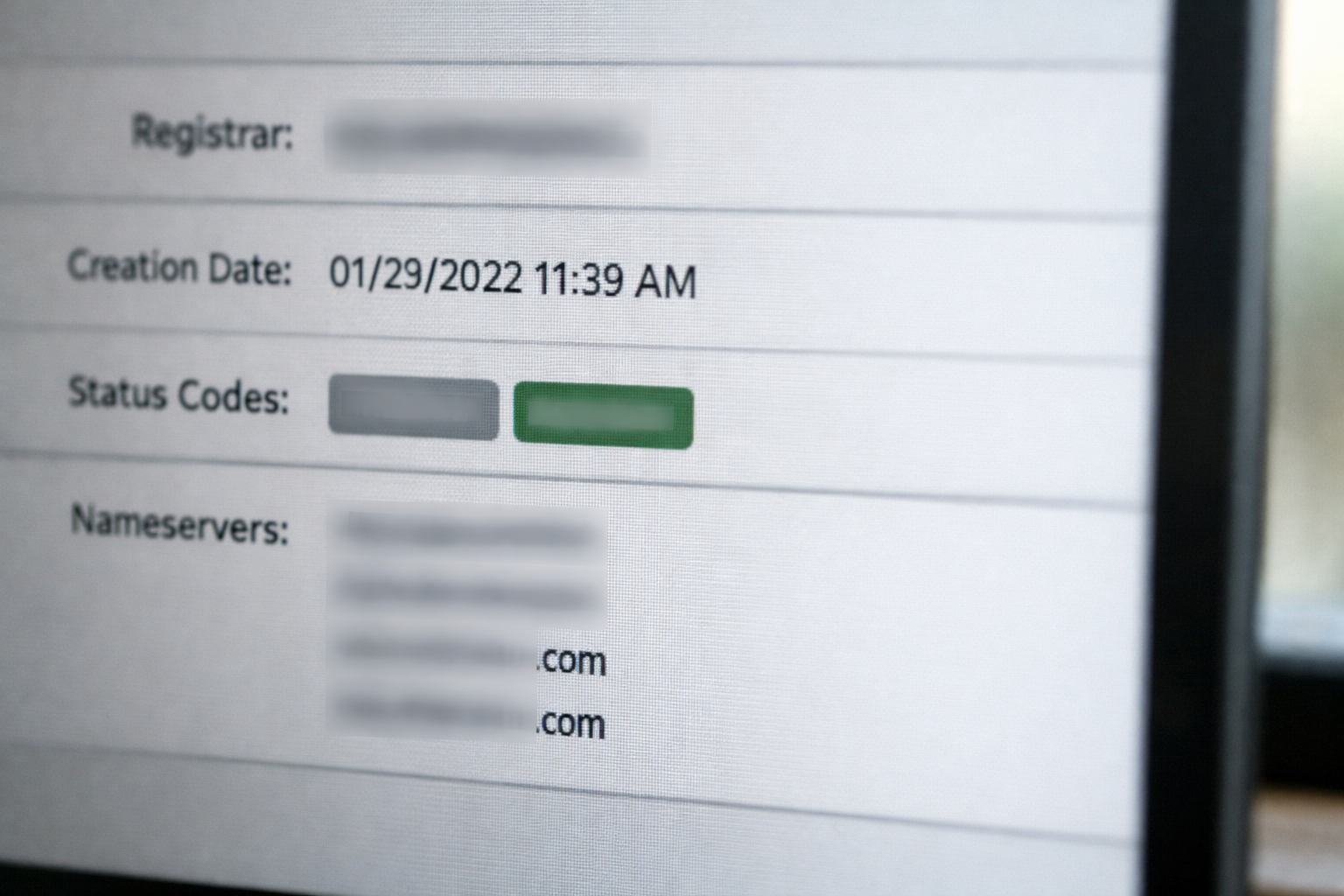
Start with the basics. Your first stop is an authoritative lookup that shows who the registrar is, when the domain was registered, and what public contact routes exist. These records are accessed via WHOIS or, more modernly, RDAP. Many top-level domains (TLDs) now use RDAP by default, but the core idea is the same: discover registrar information, status codes, and any public registration data.
For global domains such as .com, use a reputable source like the ICANN Lookup. For .uk domains, the registry is Nominet; a number of registrars and industry tools query its data, and what you see may be simpler due to privacy norms. Whichever source you use, verify you’re on a trusted site rather than an ad-heavy clone that obscures details or pushes paid add-ons you don’t need.
Next, note the registrar (the company managing the registration on behalf of the owner). Even if owner details are redacted for privacy, the registrar is vital: they usually provide a contact form or email gateway that forwards your message to the registrant. Also check nameservers, expiration date, and status codes (e.g., clientTransferProhibited). These give you clues about whether the domain is in active use or simply parked.
Finally, cross-reference the live site. If there’s content, a footer, or a contact form, see whether it aligns with the registrant or registrar findings. Keep a lightweight log of what you find: dates, registrar, any visible contact channels, and screenshots if needed. This avoids repeating steps and ensures your later outreach is informed and focused.

What Can You Learn from Public WHOIS and RDAP?
Public records may give you limited but meaningful data. The modern RDAP format structures information cleanly, while traditional WHOIS can appear as a block of text. Either way, you’re typically looking for:
- Registrar: The company that manages the registration on behalf of the owner. This is almost always public and is your key route for contact if registrant data is hidden.
- Creation, update, and expiry dates: Helps determine whether a domain was recently acquired, actively maintained, or soon to lapse (although many owners auto-renew well before expiration).
- Status codes: Terms like clientTransferProhibited, redemptionPeriod, or serverHold indicate transferability or potential administrative issues.
- Nameservers: These tell you where the DNS is hosted; sometimes the hosting brand hints at the owner’s habits (e.g., hobbyist parking vs enterprise-grade DNS).
- Public contact fields: In some cases, anonymised email addresses, role-based contacts, or a link to an abuse/registrant contact form are present.
If you need to search who owns a domain name because the site is blank, the registry and registrar details become even more important. You may see a registrar parking page or a “for sale” notice. Don’t assume that a parked page means a low price; many premium holders park assets. But if the expiry date is near and there’s no brand presence, a backorder might be worth considering later.
Cross-check across a couple of reliable tools if you’re unsure. Minor formatting differences are normal; what matters is consistency on registrar, dates, and statuses. If records vary wildly, re-run the queries and ensure you’re not looking at cached or stale results.
When Details Are Hidden: Privacy Services, GDPR and Redaction
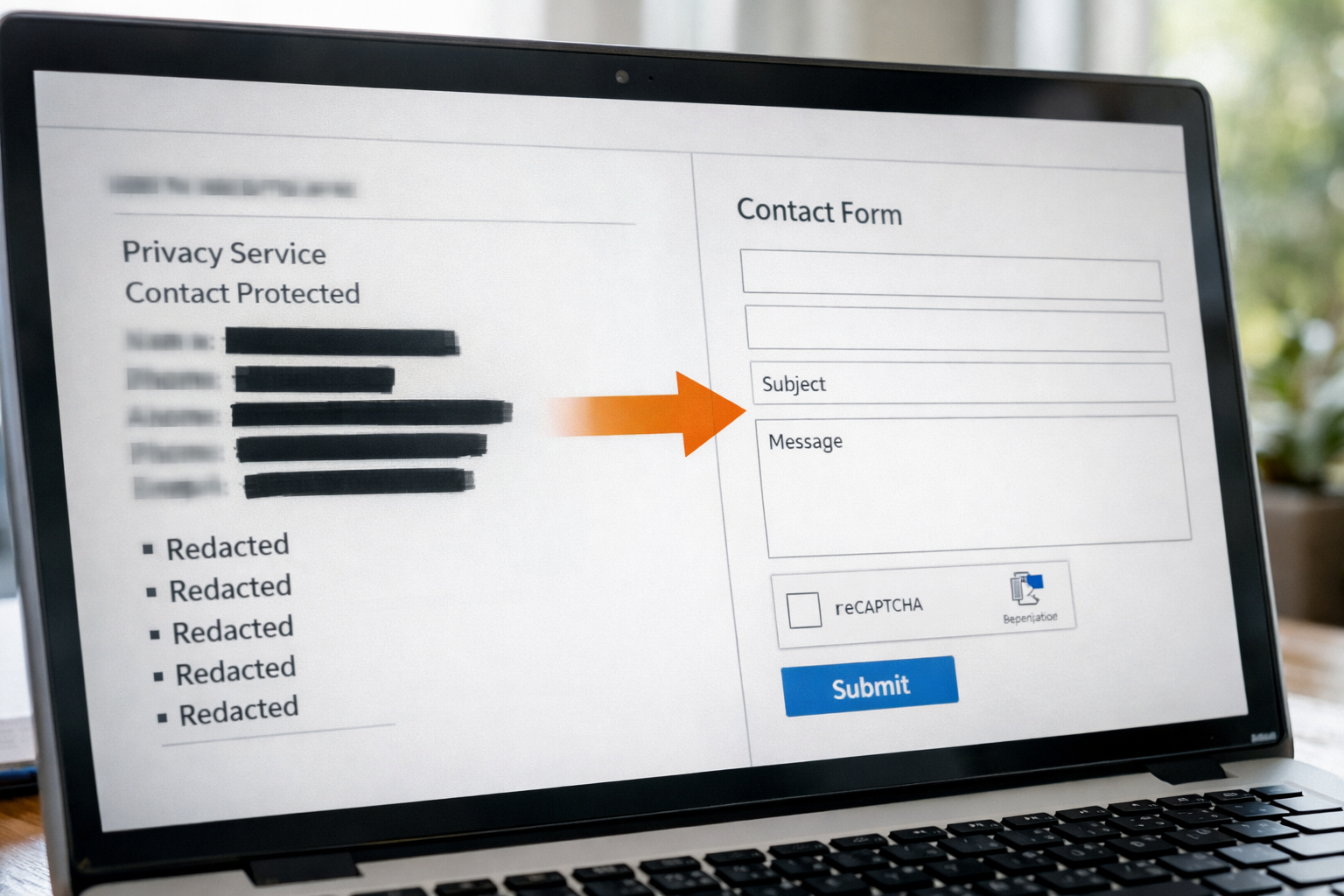
It’s now common for owner details to be redacted to protect personal data. Post-GDPR, many registrars mask registrant names, addresses, and emails for individuals by default—particularly in Europe. Corporate registrations can also be guarded through privacy services. This isn’t a dead end; it simply changes how you contact the owner.
Usually, the registrar provides a forwarding channel. That might be a generated email address (e.g., [email protected]) or a web form that routes your message to the registrant. Keep your outreach short, credible, and specific: who you are, the domain you’re enquiring about, and your intent (e.g., to purchase). Avoid attachments and long pitches at this stage.
Understand the data protection context. You won’t be granted private details without a lawful basis. For UK organisations, the Information Commissioner’s Office has helpful resources on data protection principles under UK GDPR; see the ICO’s UK GDPR guidance for a plain-language starting point. In practice, the registrar’s role is to mediate contact while reducing privacy risks, not to reveal identity on request.
If you get no response, don’t flood the channel. You can follow up politely once after a week or two. In parallel, continue evaluating alternatives or other acquisition routes (such as brokers or backorders) so you’re not locked to one path.
Alternative Clues: Website, DNS and Historic Records
Even with redaction, you can still assemble context. Approach it like a lightweight investigation:
- Live site signals: Check the footer for a company number, VAT details, or a postal address. A privacy policy or terms page may name a legal entity.
- Contact points: A site form, a role email (admin@, hello@), or a support address can be used to enquire about the domain—keep your note concise and professional.
- Nameserver branding: Sometimes DNS points to a specific hosting brand. While not conclusive, it can suggest the scale of the owner’s operation.
- Subdomains: Staging or assets subdomains can hint at active development vs idle ownership.
- Expired content caches: Search engines occasionally cache older versions that mention the operator. Treat anything historical as tentative, not proof.
Another way to search who owns a domain name is to inspect the domain’s DNS records for MX (mail) or TXT (verification) entries. A verification record might reveal which services are connected (e.g., a particular email provider), offering another route to contact or an indication of current activity.
Finally, note tone and commercial signals. A minimal page with a “make offer” link suggests responsiveness to purchase attempts. A mature brand site with a clear value proposition implies you’ll need a compelling reason—and budget—to persuade the owner.
How to Contact the Registrant Without Spamming
Think of outreach as a gentle knock, not a hard sell. Keep it brief and easy to verify. An initial message might be 5–7 lines and include:
- Who you are and your role, plus a domain (or company) you control that proves legitimacy.
- Why you’re writing: you’re enquiring about the possibility of acquiring the domain.
- The domain in question, clearly stated.
- An invitation to reply if they’re open to discussing a price—not a forceful demand.
- Contact details and a time window when you can talk.
Example approach (hypothetical): “Hello, I’m the operations lead at a small UK consultancy. We’re exploring a rebrand and noticed this domain aligns with our new name. If you’re open to selling, would you be willing to discuss a fair price? Happy to verify details and keep it straightforward. Thank you for considering.”
Keep promises modest. Don’t imply urgency that isn’t real, and don’t disclose sensitive strategy. Use a recognisable email domain (ideally your current business domain), and add a simple signature with your company number if you’re a UK limited company. If you’re using a registrar-forwarded address, assume formatting may get stripped—avoid attachments and tracking links.
If there’s no reply after a week, a single, friendly follow-up is reasonable. Beyond that, move forward with other options so you don’t lose time. An owner might resurface months later; having a parallel plan protects your timeline.

Negotiation Paths: Buy, Backorder or Wait?
Once you reach a human—or decide you can’t—you’ll weigh three common paths. The right choice depends on budget, launch timing, brand flexibility, and how tightly the name is tied to your proposition. Treat this like any other procurement decision: weigh value, alternatives, and risks of delay.
| Path | What It Involves | Pros | Cons | Best When |
|---|---|---|---|---|
| Direct Purchase | Negotiate a price with the current owner (via registrar form, site contact, or a broker). | Immediate clarity; you secure the exact name; quickest to brand consistency. | Potentially expensive; may take time; owner might not respond. | You have budget and a strong strategic need for the exact match. |
| Broker-Assisted | A domain broker contacts the owner and negotiates for you (for a fee). | Professional handling; anonymity if desired; market knowledge. | Fees/commission; no guaranteed outcome; timelines vary. | You want expert help and prefer a buffer in negotiation. |
| Backorder/Drop Catch | Queue to register the domain the moment it expires and becomes available. | Lower cost than a premium buy; hands-off until expiry events. | Uncertain; owners often auto-renew; others may outpace your backorder. | Expiry is near and there’s no sign of active use. |
| Alternative Domain | Choose a different TLD or variant (e.g., adding a word, using .co.uk vs .com). | Fast; budget-friendly; no dependency on a third party. | Brand adjustments; potential confusion if a close competitor owns the original. | You want to launch now and can brand around a close match. |
When negotiating, be realistic. If the name is highly generic, owners may hold out for premium pricing. If it’s niche and unused, a reasonable opening offer can open the door. Either way, know your ceiling and be ready to walk away.

What Are the Risks and Legal Lines in the UK?
In the UK context, domain ownership intersects with trade marks and brand use. If a third party is using a name that conflicts with a registered trade mark, formal dispute options may exist—but they’re specific and not guaranteed. For .uk domains, Nominet operates a Dispute Resolution Service (DRS) focused on abusive registrations and rights. Learn more at Nominet’s UK domain disputes page.
However, most small business scenarios are not clear-cut abuses; they’re collisions over desirable strings or coincidental naming. Litigation and formal disputes are costly and uncertain. That’s why practical routes (direct purchase, backorder, or selecting a strong alternative) are usually preferable. Avoid impersonation or misrepresentation during outreach—keep everything accurate and polite.
Be mindful of brand risk if the current site is in a sensitive or conflicting category. You may need to differentiate your branding more strongly, secure related social handles, and inform customers clearly to avoid confusion. If in doubt, consult an IP professional for specific advice relevant to your sector and geography.
Building Your Website While You Wait: Validate the Idea Fast
While you weigh options, keep momentum. Start building a site on an alternative domain or a future-proofed staging address, and validate your messaging, navigation, and early SEO. A practical approach: set up a lightweight site that can switch domains later without content rewrites or structural upheavals.
This is where a modern, AI-driven platform helps. With Avantiy, you can describe your business in plain English and let the AI generate pages, copy and structure, then refine everything in a visual editor—no code required. Commerce, bookings, memberships, accessibility and built-in SEO tools are ready when you are, backed by UK-based support and ISO 27001 & SOC 2 certified infrastructure. You can create a free account and keep your site free until you publish.
If you still plan to search who owns a domain name, carry on in parallel: outreach can take time. Meanwhile, capture early interest with a simple contact form, publish a services page, and shape your customer journey. When ownership resolves, update the domain settings and redirect old URLs to preserve continuity.
To deepen your evaluation, see this FAQ-led explainer comparing small business builders and the best website builder for small business in the UK cost and value breakdown. When you’re ready to shape landing pages, our SEO landing pages case walkthrough shows a practical, draft-to-live flow.
Need tailored help? Book a one-to-one setup session and we’ll help you map domain options, configure redirects, and prepare a smooth cutover when your preferred name becomes available.
Putting It Together: A Step-by-Step Scenario Walkthrough
Let’s consolidate the process using a hypothetical consultancy (no real names or results used):
- Initial check (Day 0): They query the .co.uk and .com via a trusted lookup. The .co.uk shows a registrar and privacy shielding; the .com points to a parking page. Both have auto-renew-friendly status codes.
- Clue gathering (Day 0): The .co.uk resolves to a minimal page with a generic template. No brand in the footer. Nameservers point to a common hosting provider.
- Outreach (Day 1): Using the registrar’s anonymised contact channel, they send a concise enquiry offering to discuss a fair purchase price, with contact details from a verifiable business domain.
- Parallel build (Week 1): They start a new site on a staging address with an AI-driven builder, generating initial pages for services, pricing, and FAQs. They capture early interest via a lead form and begin refining copy.
- Follow-up (Week 2): A single polite reminder is sent. No response yet. They place a backorder for the .com (low cost, low effort) and shortlist alternative name variants for .co.uk.
- Decision point (Week 3): With launch approaching, they commit to the strongest available variant on .co.uk and continue brand work. They maintain the backorder as a long shot and keep a budget line for a future acquisition if the owner replies.
- Cutover readiness (Week 4): The staging site is ready. When the preferred domain situation changes, they’ll update DNS, add redirects, and preserve SEO signals—no need to rewrite the site.
This scenario shows a calm, dual-track plan: pursue the ideal, but don’t gamble your schedule. Keep your brand progressing while you wait for a reply or an expiry event.
Common Pitfalls to Avoid (and What to Do Instead)
Even seasoned teams can slip into unhelpful patterns when chasing a domain. Here are typical missteps—and better alternatives:
- Waiting for certainty: Holding your brand hostage to a maybe. Instead: build now, switch later. Decoupling content from domain lets you move fast.
- Over-disclosing: Sharing budget ceilings or strategic plans in first contact. Instead: keep it light, credible, and open-ended until you engage.
- Spamming channels: Multiple messages across social media, forms, and registrar gateways. Instead: one respectful note, one follow-up, then move on.
- Ignoring legal nuance: Threatening action without grounds. Instead: if you suspect infringement, seek professional IP advice; otherwise, focus on practical routes.
- Under-preparing redirects: Launching a new domain later without mapping URLs. Instead: plan redirects and verify analytics are set to track continuity.
Stay steady, keep records of your steps, and treat domain acquisition like any other procurement exercise—structured, time-boxed, and with a plan B.
How Do You Choose a Strong Alternative if Needed?
If purchase stalls or prices are unrealistic, a well-chosen alternative domain can serve you exceptionally well. Consider:
- Meaning over exact match: Prioritise clarity and memorability rather than a perfect string. A short modifier (e.g., “get”, “join”, “team”) can be elegant.
- Local relevance: For UK-focused businesses, .co.uk is familiar and trusted. If you trade internationally, weigh .com but also modern, meaningful TLDs if brand-fit is good.
- Legal checks: Search for existing trade marks and look for close competitors using similar strings to avoid confusion.
- Future-proofing: Pick a name you can speak aloud on calls and in ads, and that passes the radio test (listeners can type it correctly from hearing it once).
When you do secure your preferred domain later, treat the switch like any other migration: plan DNS changes, verify SSL, and implement 301 redirects to preserve equity. Test thoroughly and update business listings and email signatures promptly.
Frequently Asked Questions
Is it legal to contact a domain owner about buying their domain?
Yes—polite, bona fide enquiries are normal. Use registrar-provided channels if details are redacted. Avoid misrepresentation, pressure tactics, or spam. If you suspect brand infringement, seek professional legal advice before escalating. For .uk names, policies are overseen by Nominet; formal disputes are specific and not guaranteed to succeed.
How long should I wait before following up on my enquiry?
One week is a reasonable minimum. Send a single, friendly follow-up and then continue with alternatives so you’re not blocked. Owners may reply later; having a parallel plan keeps your project moving. If you later receive interest, you can re-open the conversation with clear terms and a realistic ceiling.
Will an expiring domain definitely drop on its expiry date in 2026?
No. Many owners have auto-renew enabled, and there are grace and redemption periods after nominal expiry. Some registrars renew and then bill owners, so a domain can look close to expiry but remain under control. Backordering can be worthwhile, but it’s never guaranteed.
Should I use a broker to negotiate?
Consider a broker if you want professional handling, market insight, or anonymity. Brokers charge fees or commission, and outcomes aren’t guaranteed, but they can add structure and reduce awkwardness—especially for premium names. Evaluate total cost versus the value of your time and the domain’s strategic importance.
Can I keep building my site while waiting on domain ownership?
Absolutely. Build on a staging or alternative domain, then switch later with proper redirects. Modern builders make domain changes straightforward, so content and design work aren’t wasted. This approach preserves momentum and lets you test messaging and capture leads while ownership questions resolve.
Ready to move fast while you explore options? Start with a free Avantiy account today, and when you’re set to fine-tune your launch, book a one-to-one setup session to prepare redirects, SEO checks, and a smooth domain cutover.